
An audio cutter and editor for iPhone and Android
AuCut: Cut audio and extract it from video
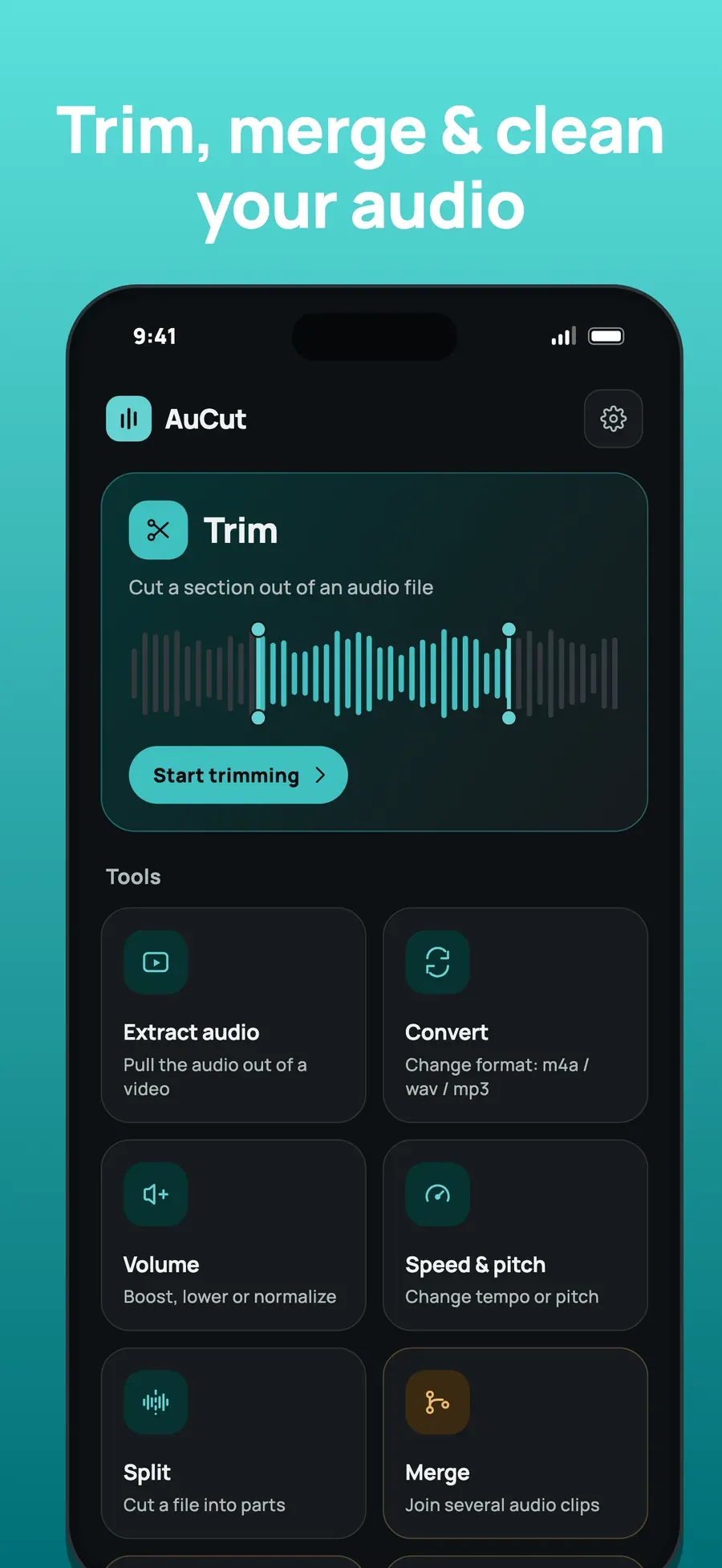
AuCut is an audio cutter and editor for iPhone and Android, free to download. Trim an MP3, merge and split audio files, convert between MP3, M4A and WAV, and pull the audio out of a video in one tap. Remove background noise, change the speed or pitch, boost or normalize the volume, and clean up a voice memo in one step. Everything runs on your device, so it works offline, needs no account and never uploads your files.
On the App Store as “AuCut: Audio Cutter & Editor”. On Google Play as “adTrim: Offline Audio Tools”.
- Free to download
- Works offline
- No account
- iPhone and Android
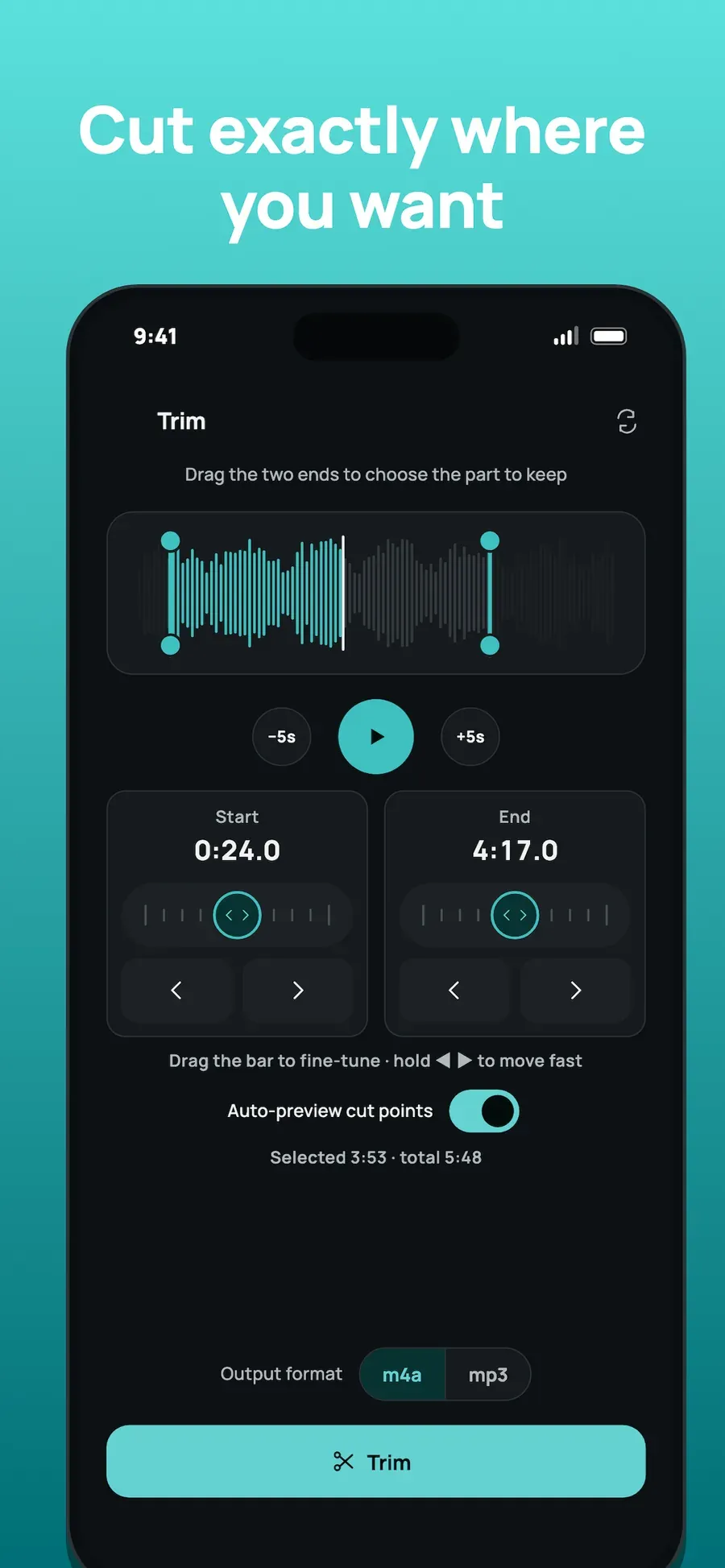
Drag the two ends to choose the part to keep.
Start 0:24.0
End 4:17.0
Selected 3:53 · total 5:48
Cut, convert, clean up
Cut
Drag the two ends on the waveform and fine-tune each cut to a tenth of a second, hearing the audio around it as you move.
Convert
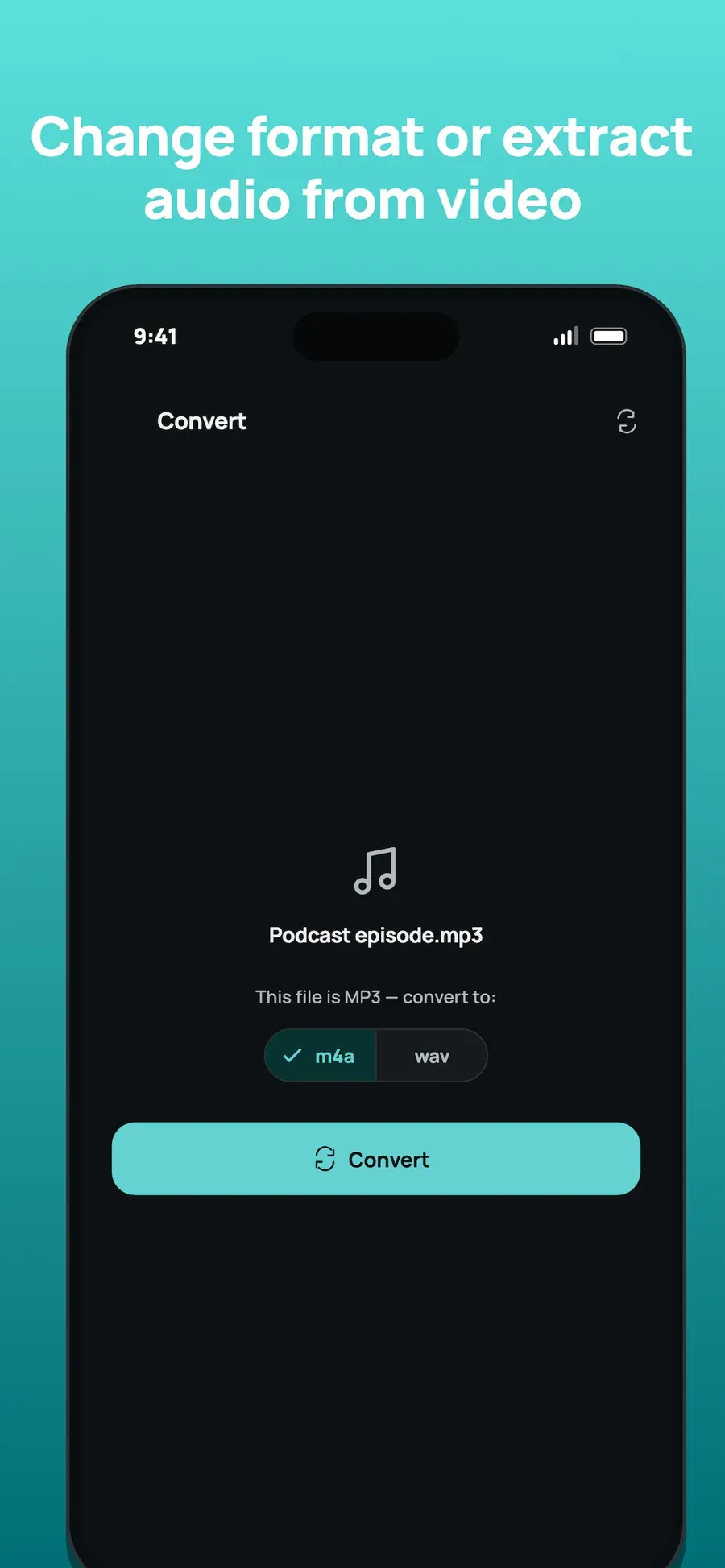
Pull the sound out of an MP4 or MOV video, or switch a file between MP3, M4A and WAV.
Clean up
Merge clips, remove background noise, cut silent gaps and even out the volume, then share or save the file.
See it on your phone
The screenshots of its App Store listing. Tap one to see it bigger.
What AuCut does
Trim on a waveform down to a tenth of a second, and hear each cut point as you move it
Extract the audio from a video (MP4, MOV, M4V, 3GP, AVI, MKV) and convert between MP3, M4A and WAV
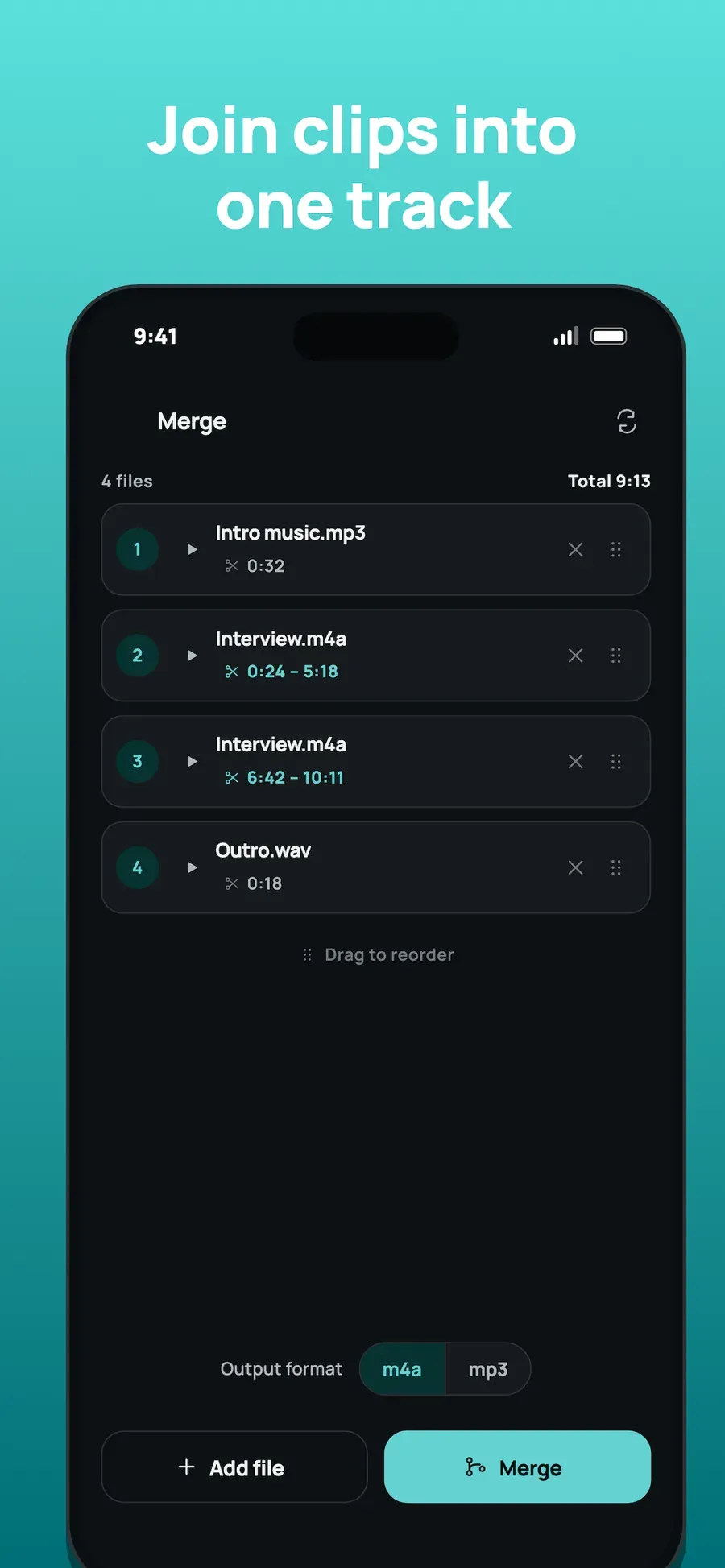
Merge clips into one track, or split a file into equal parts or by length
Change the speed without changing the pitch, or the pitch without the speed; boost the volume, normalize, and fade in or out
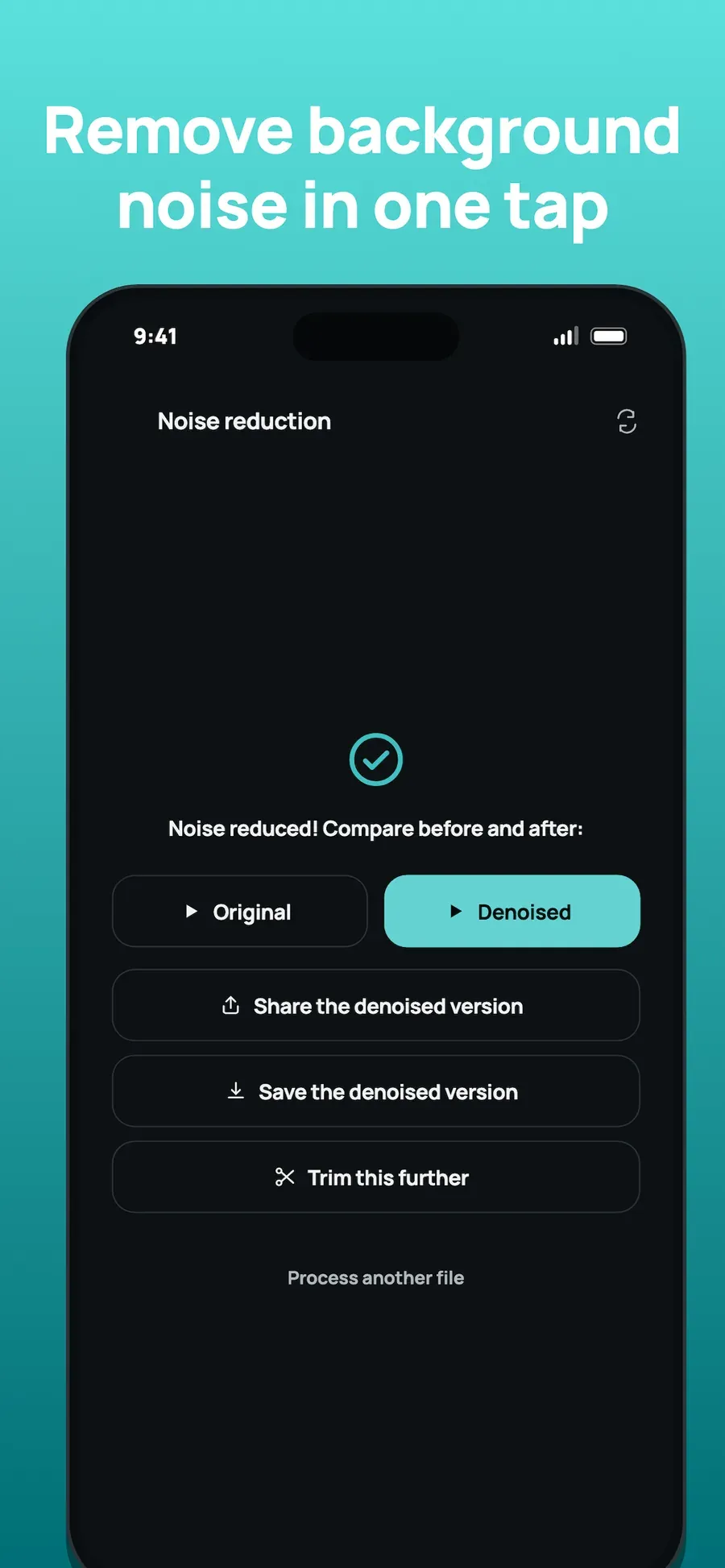
Reduce background noise, cut out silent gaps, and clean up a voice memo in one step
Open audio and video shared from other apps, such as Voice Memos; all editing stays on your device
Separate a video into a silent copy that keeps its picture quality, and its audio as a separate file
Apply one tool to up to 20 files at once: convert, change the volume or speed, remove silence, reduce noise or extract audio
Your files stay on your phone
On your device
Cutting, merging, converting and cleaning up all run on the phone itself.
Works offline
No connection needed: edit on a plane, on the train or anywhere there is no signal.
No account
Open it and start. There is nothing to sign up for.
MP3, M4A and WAV
Save in the format you need, and convert between all three.
Questions people ask
How do I extract the audio from a video on iPhone without uploading it?
AuCut pulls the audio out of a video on your iPhone itself, so the video is never uploaded anywhere. Open an MP4, MOV, M4V, 3GP, AVI or MKV file in AuCut and save its sound as an MP3, M4A or WAV file. Extracting audio is free, works offline and needs no account; on Android, the same app is adTrim on Google Play.
Step by step: How to Extract Audio from a Video on iPhone Without Uploading It
Which app can I use to trim audio or cut an MP3 on Android or iPhone?
AuCut trims MP3, M4A and WAV files on Android and iPhone; on Google Play it's listed as “adTrim: Offline Audio Tools”. Drag the two ends on the waveform to keep only the part of a song or recording you want, then fine-tune each cut to a tenth of a second while AuCut plays the audio around it. The file stays on your phone, and trimming is free.
Step by step: How to Trim Audio on iPhone and Android, Offline
How do I trim a voice memo on iPhone?
Share the recording from Voice Memos to AuCut, and AuCut opens it on your iPhone, ready to trim. Cut it down to the part you want, boost the volume or add a fade if it starts too quietly or ends abruptly, and save the result as M4A, MP3 or WAV to share anywhere. Nothing is uploaded, and no account is needed.
How do I convert M4A to MP3 on my phone?
AuCut (adTrim on Google Play) converts M4A to MP3 on iPhone and Android, and switches between MP3, M4A and WAV in either direction. Converting is free and happens on your phone, offline, with no sign-up, because AuCut has no accounts. You can boost, normalize or fade the volume in the same step.
Step by step: How to Convert M4A to MP3 on iPhone and Android
How do I combine audio files into one, or split one into parts?
AuCut (adTrim on Google Play) combines several audio clips into one track, and splits a file into equal parts or by length, on iPhone and Android. You can trim each clip before merging, so only the parts you want end up in the final track. Both happen on your phone, without uploading your files.
Step by step: How to Merge Audio Files on iPhone and Android
Does AuCut upload my files, need an account or need internet?
No. AuCut edits your audio and video on your device and never uploads the files, needs no account, and works offline. It does collect anonymous usage statistics, such as which features are used, to improve the app, and its privacy policy lists each service and what it receives. AuCut runs on iPhone with iOS 15 or later, and on Android as “adTrim: Offline Audio Tools”.
Is there a free audio cutter app for iPhone and Android?
Yes: AuCut, free to download on the App Store and on Google Play as “adTrim: Offline Audio Tools”, cuts audio on iPhone and Android. Drag the two ends on the waveform to keep the part you want, hear each cut point as you move it, and save an MP3, M4A or WAV. Trimming is free, and the file never leaves your phone.
Step by step: How to Trim Audio on iPhone and Android, Offline
How do I remove background noise from a recording on my phone?
In AuCut (adTrim on Google Play), open the recording and tap the noise reduction tool: it reduces background noise on your phone in one step. AuCut then lets you play the original and the denoised version to compare them before you share or save it. Nothing is uploaded, and no account is needed.
Step by step: How to Remove Background Noise from a Recording on Your Phone
Can I change the speed of audio without changing the pitch?
Yes: AuCut changes the speed of audio without changing its pitch, or the pitch without the speed, on iPhone and Android. Slow down a lecture or a song to hear it clearly, or speed up a long recording, and save the result as MP3, M4A or WAV. It all happens on your phone, with no upload.
Step by step: How to Change the Speed of Audio Without Changing the Pitch
How do I make audio louder or fade it in and out?
AuCut boosts the volume of a recording, normalizes it so the level is even, and adds a fade in or a fade out, on iPhone and Android. Use it when a voice memo starts too quietly or a clip ends abruptly. You can apply these in the same step as trimming or converting, and nothing is uploaded.
Step by step: How to Make Audio Louder or Quieter on iPhone and Android
How do I cut the silent parts out of a recording?
AuCut cuts out silent gaps in a recording on your phone, and cleans up a voice memo in one step with noise reduction and silence removal. Then trim the ends on the waveform if you want to be exact, and save an MP3, M4A or WAV. AuCut runs on iPhone, and on Android as “adTrim: Offline Audio Tools”.
Which audio and video formats does AuCut support?
AuCut saves audio as MP3, M4A or WAV and converts between all three. It opens video in MP4, MOV, M4V, 3GP, AVI and MKV to extract the sound, and audio shared from other apps in formats such as OPUS, OGG, FLAC or AAC is converted automatically. That covers videos recorded on an iPhone, which are MOV files, and voice messages from other apps.
How do I convert a video to MP3 on Android?
On Android, AuCut is listed on Google Play as “adTrim: Offline Audio Tools”. Open the video in it, extract the audio and save it as an MP3, M4A or WAV file. It works offline on your phone, the video is not uploaded, and no account is needed.
Step by step: How to Extract Audio from a Video on iPhone Without Uploading It
Is AuCut the same app as adTrim?
Yes. AuCut is the app’s name at W Lab and on the App Store as “AuCut: Audio Cutter & Editor”, and on Google Play the same app is listed as “adTrim: Offline Audio Tools”. It is one audio cutter and editor for iPhone and Android, made by W Lab.
How do I split a long audio file into equal parts or parts of a set length?
In AuCut, open the Split tool, choose the file, and pick either a number of parts or a length for each part. AuCut shows how long each part will be, then cuts the file on your iPhone or Android phone. Share or save each part separately. Splitting is free, and nothing is uploaded.
Step by step: How to Split an Audio File into Parts on iPhone and Android
How do I get the audio out of a video and keep a silent copy of the video?
AuCut’s Separate video & audio tool splits a video into a silent video, which keeps its original picture quality, and a separate audio file in M4A or MP3. Choose the video, pick the audio format and tap Separate. It runs on your phone, so the video is not uploaded.
Can I convert or process many audio files at once?
Yes: AuCut’s Batch processing applies one tool to up to 20 audio or video files at once, on iPhone and on Android as “adTrim: Offline Audio Tools”. Choose the files, pick convert, volume, speed and pitch, remove silence, noise reduction or extract audio, pick the format and tap Start. Keep the app open until it finishes.
Step by step: How to Convert or Edit Many Audio Files at Once on iPhone
Can AuCut open FLAC, OGG or OPUS files?
Yes. Audio shared to AuCut from other apps in formats such as OPUS, OGG, FLAC or AAC is converted automatically, so you can trim, convert or clean it like any other file. AuCut saves the result as MP3, M4A or WAV, on your phone and with nothing uploaded.
Which languages is AuCut available in?
AuCut is available in English, Vietnamese, Spanish, Portuguese, French, German, Japanese and Korean, with light and dark themes. It runs on iPhone, and on Android as “adTrim: Offline Audio Tools”. It works offline in every language, with no account.
Is there an audio editor for Android that works offline?
Yes: “adTrim: Offline Audio Tools” on Google Play, which is AuCut on iPhone, trims, merges, splits and converts audio entirely on your Android phone. It needs no internet connection and no account, and your files are never uploaded.
Guides
- How to Convert or Edit Many Audio Files at Once on iPhone Apply one tool to up to 20 audio or video files at once with AuCut: convert, change volume or speed, remove silence or noise. On your phone.
- How to Change the Speed of Audio Without Changing the Pitch Slow down or speed up a recording without changing the voice, or shift the pitch on its own, with AuCut on iPhone and Android. Offline, no upload.
- How to Make Audio Louder or Quieter on iPhone and Android Boost, lower or normalize the volume of a recording and add a fade in or out with AuCut. Offline, no account, nothing uploaded.
- How to Convert M4A to MP3 on iPhone and Android Convert M4A, MP3 and WAV on your phone with AuCut: free, offline, no sign-up, nothing uploaded. On Android it is adTrim on Google Play.
- How to Extract Audio from a Video on iPhone Without Uploading It Pull the sound out of an MP4 or MOV on your iPhone with AuCut, with no upload and no account. Extracting audio is free; save it as MP3 or M4A.
- How to Merge Audio Files on iPhone and Android Join several audio clips into one track on your phone with AuCut, trim each first, drag to reorder. Offline, no account, no upload.
- How to Remove Background Noise from a Recording on Your Phone Reduce background noise in a recording on iPhone or Android with AuCut, then compare the original and the cleaned version. Offline, no upload.
- How to Separate Audio and Video on iPhone Split a video into a silent copy that keeps its picture quality and a separate audio file with AuCut. On your phone, nothing uploaded.
- How to Split an Audio File into Parts on iPhone and Android Cut a long recording into equal parts or parts of a set length with AuCut, then share or save each one. Offline, no account.
- How to Trim Audio on iPhone and Android, Offline Cut an MP3, M4A or WAV to the part you want with AuCut: drag the ends on the waveform, fine-tune to a tenth of a second. Offline, no account.
- How to Trim a Voice Memo on iPhone Share a voice memo to AuCut, cut it to the part you want, boost the volume or add a fade, and save it as M4A, MP3 or WAV. Offline, no account.

Cut it exactly where you want
AuCut cuts, merges and converts audio on your iPhone or Android phone, offline, with no account.


On the App Store as “AuCut: Audio Cutter & Editor”. On Google Play as “adTrim: Offline Audio Tools”.