A digital red sheet for iPhone and iPad
Red Sheet: Turn your notes into a quiz, no typing
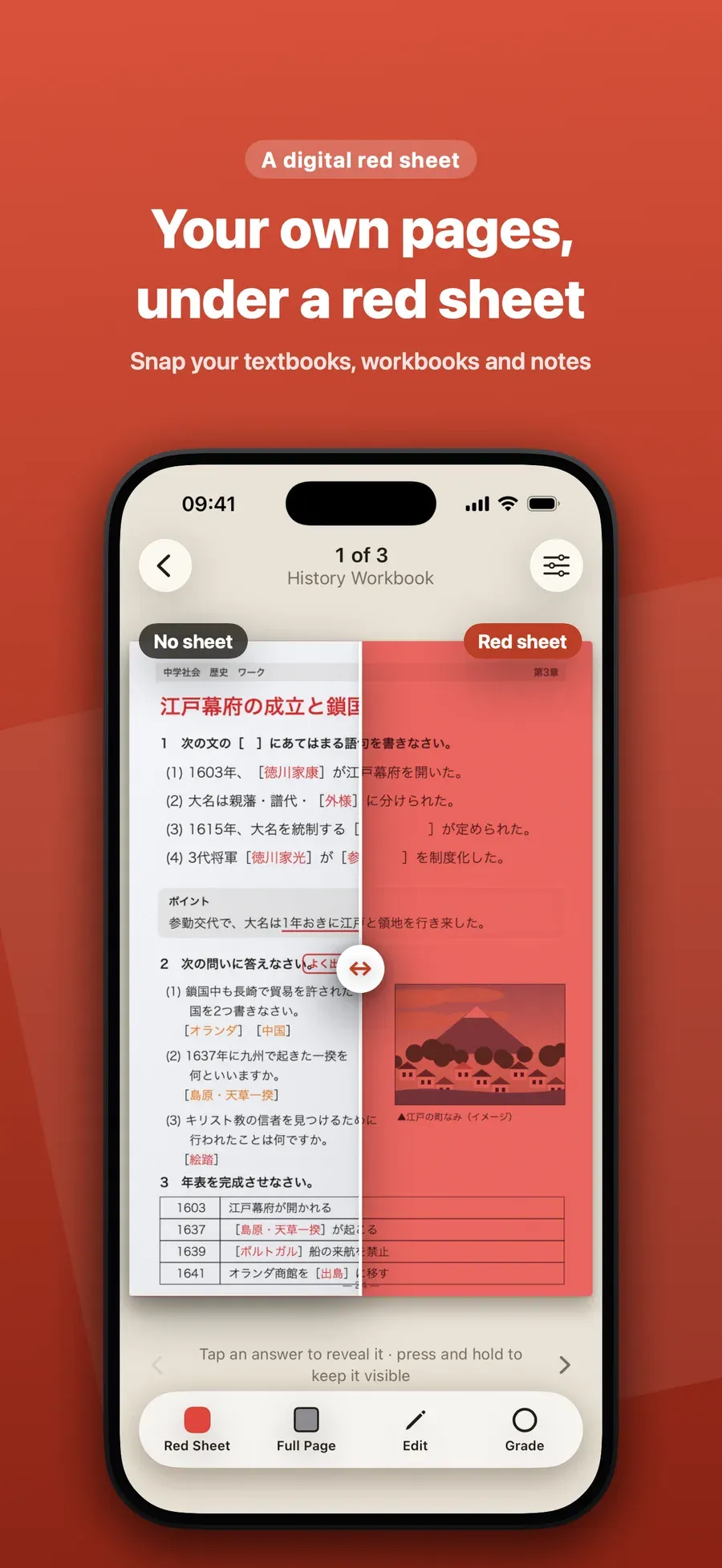
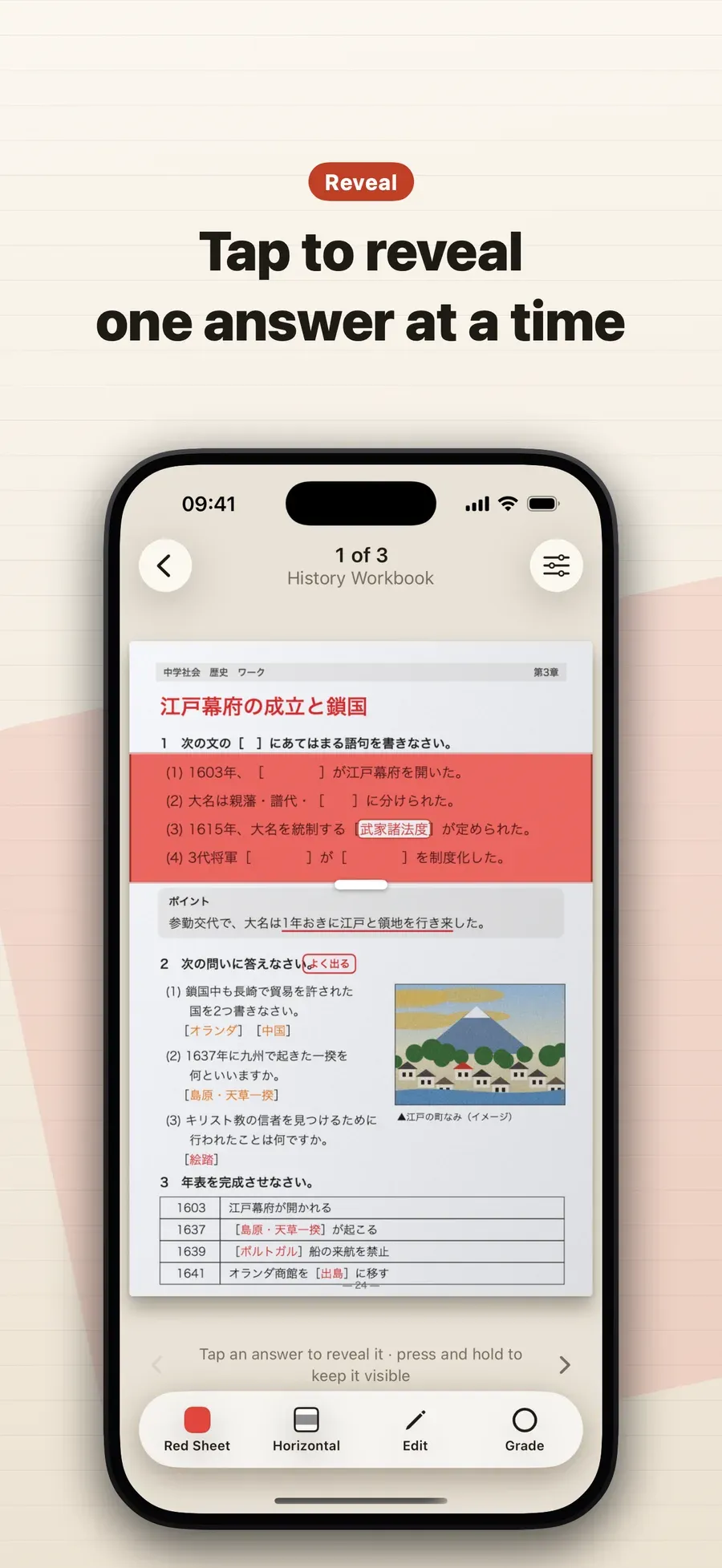
Red Sheet hides the answers on photos of your own notes, textbooks and worksheets, the way the red plastic sheet students in Japan lay over their notes does. Snap a page, scan it or import a PDF, and it finds what you wrote in red, orange or pink pen and the words under a green highlighter. Tap to reveal one answer at a time, mark it right or wrong, and the ones you missed come back the next day.
- Free
- No account
- Works offline
- iPhone and iPad
Biology: the cell p. 12
- 1. Mitochondria release energy for the cell.
- 2. Plants make glucose by photosynthesis.
- 3. A cell’s DNA is kept in its nucleus.
- 4. Chlorophyll absorbs light for photosynthesis.
- 5. Water crosses membranes by osmosis.
- 6. Every cell is wrapped in a cell membrane.
From page to quiz in three steps
Add a page
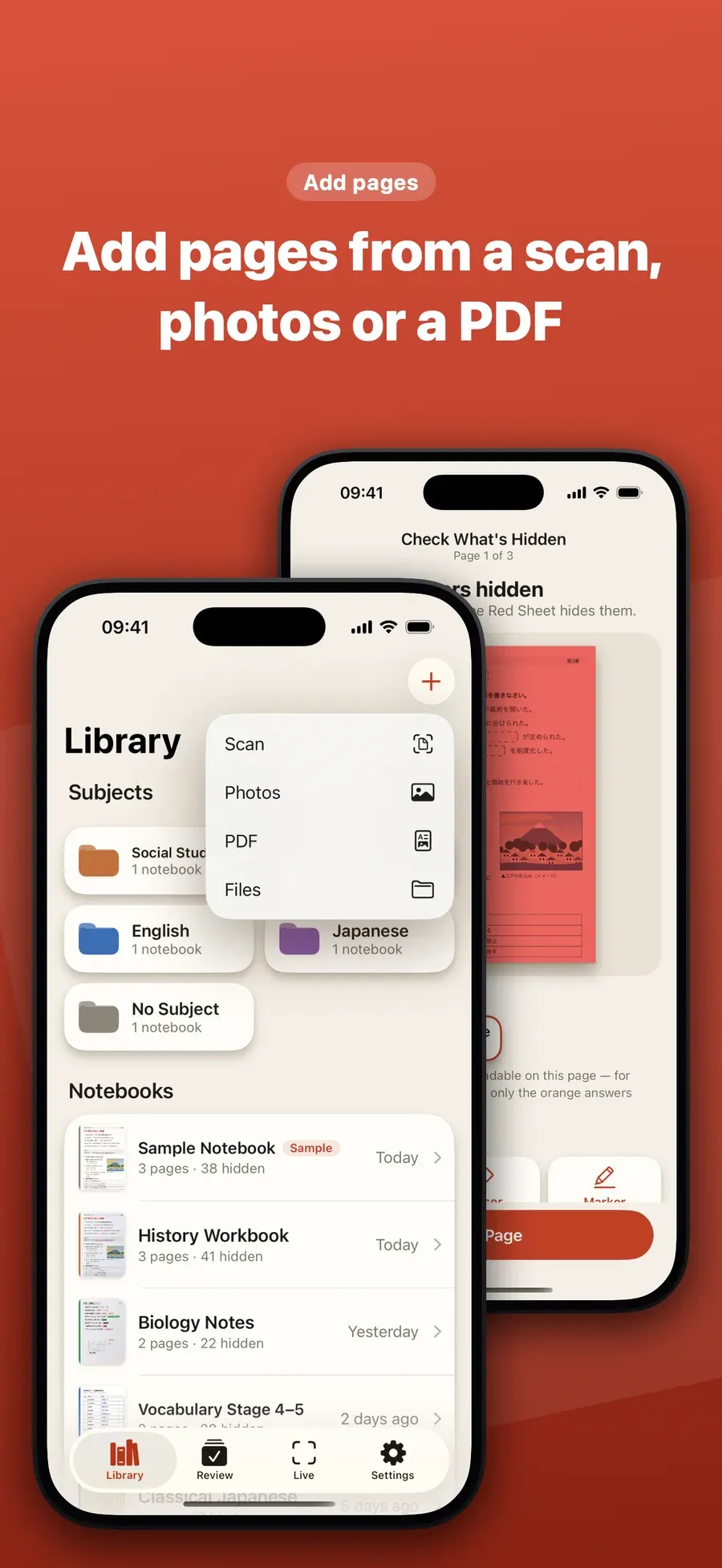
Scan it, take a photo, or import a PDF of your notes, a textbook or a worksheet.
The answers hide
Red Sheet finds what you wrote in red, orange or pink pen and the words under a green highlighter, and hides them.
Reveal and review
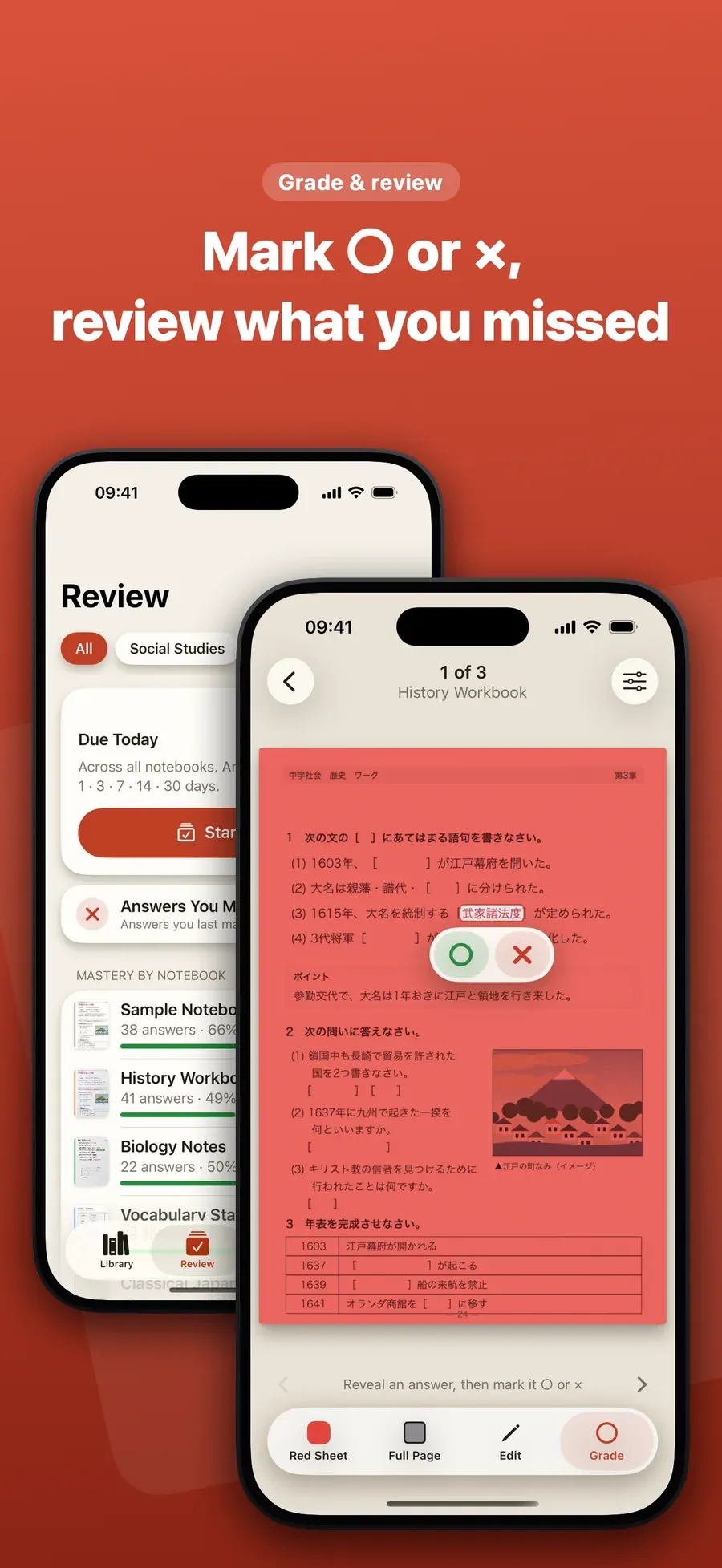
Tap an answer to reveal it and mark it ○ or ×. The ones you missed come back the next day.
Made for the pages you already study from
- Workbooks and worksheets
- Notes in colored pen
- Textbook pages
- Vocabulary, terms and dates
- School tests and exams
- Certification exams
See it on iPhone
The screenshots Red Sheet will show on the App Store. Tap one to see it bigger.
A sheet for every pen
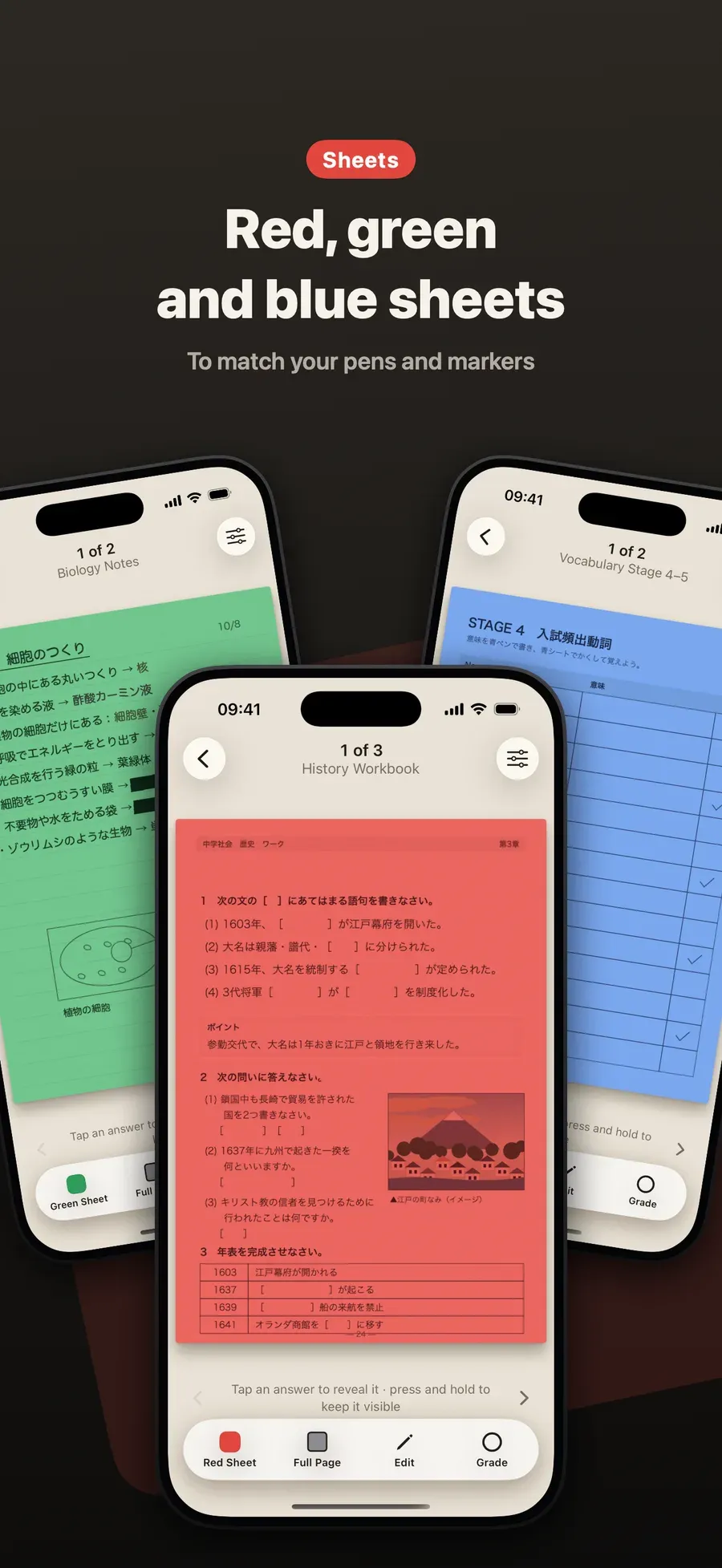
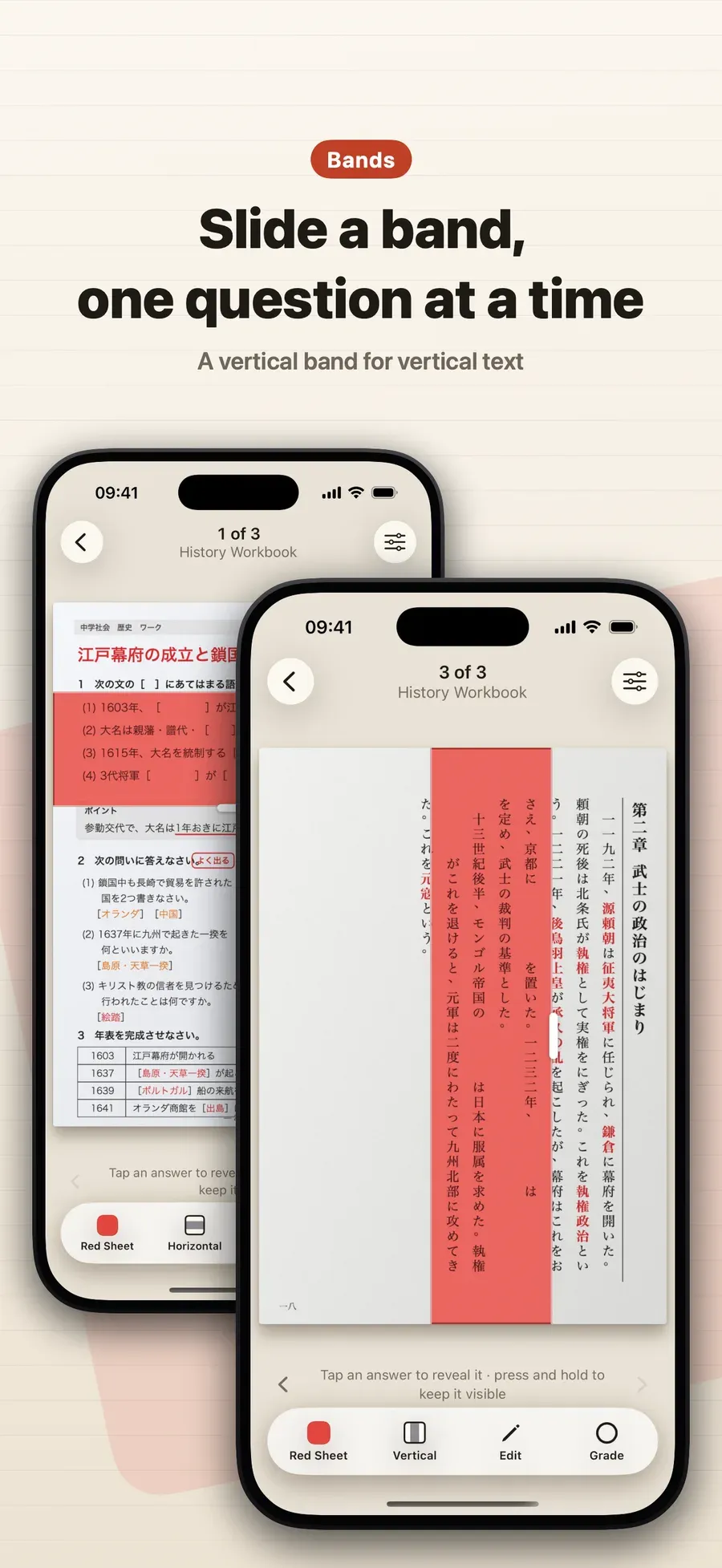
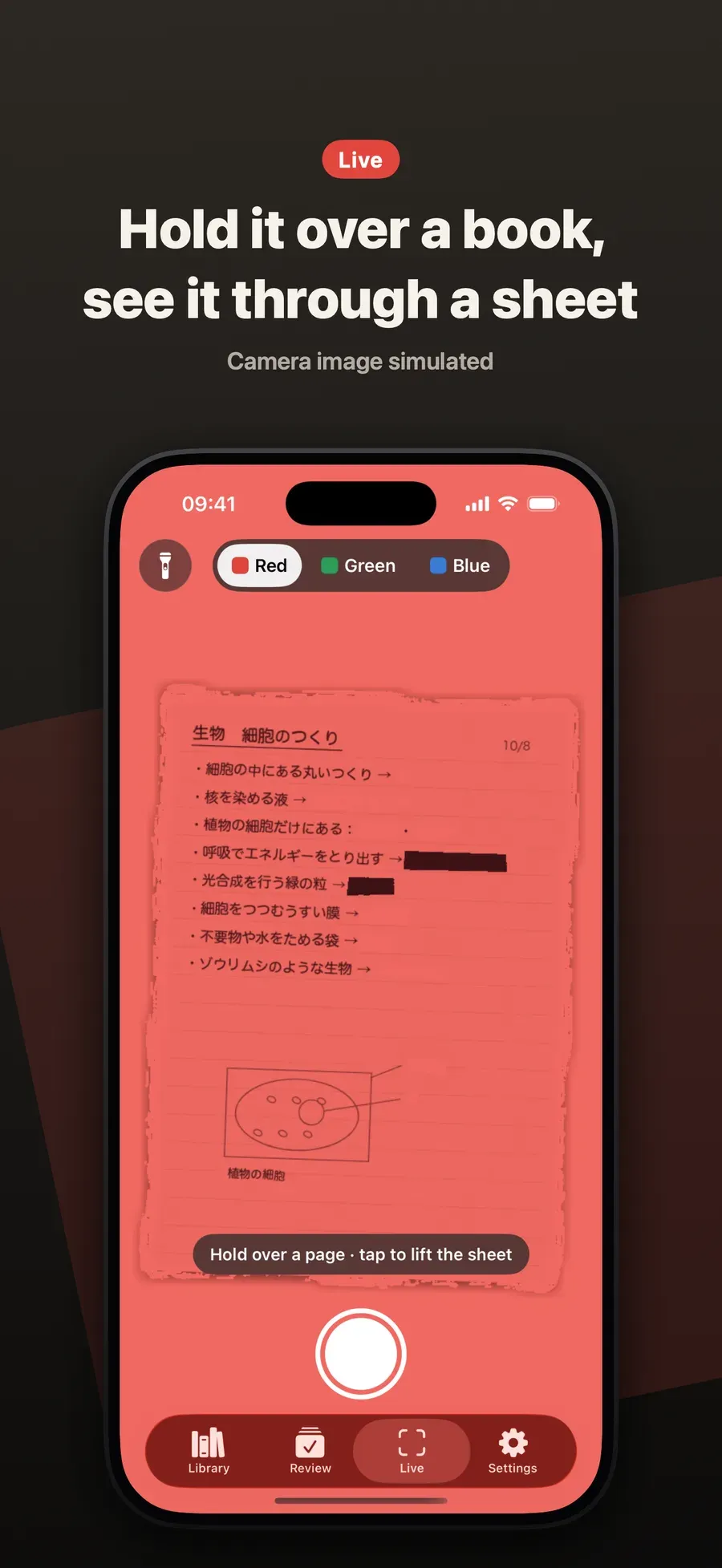
Choose the sheet that matches the pens and highlighters you used, over the whole page or as a band you slide one question at a time.
Red sheet
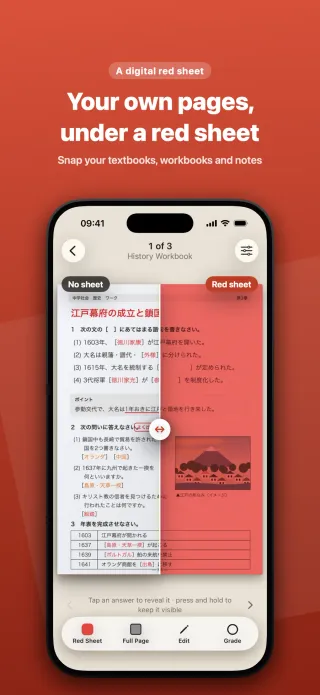
Red, orange and pink pen disappears, and words under a green highlighter turn dark.
Green sheet
Words under a pink highlighter turn dark, and a green highlighter’s color clears.
Blue sheet
Blue check pen disappears.
Everything in one app
Hides what you wrote in red, orange or pink pen, and words under a green highlighter
Red, green and blue sheets, over the whole page or as a band you slide
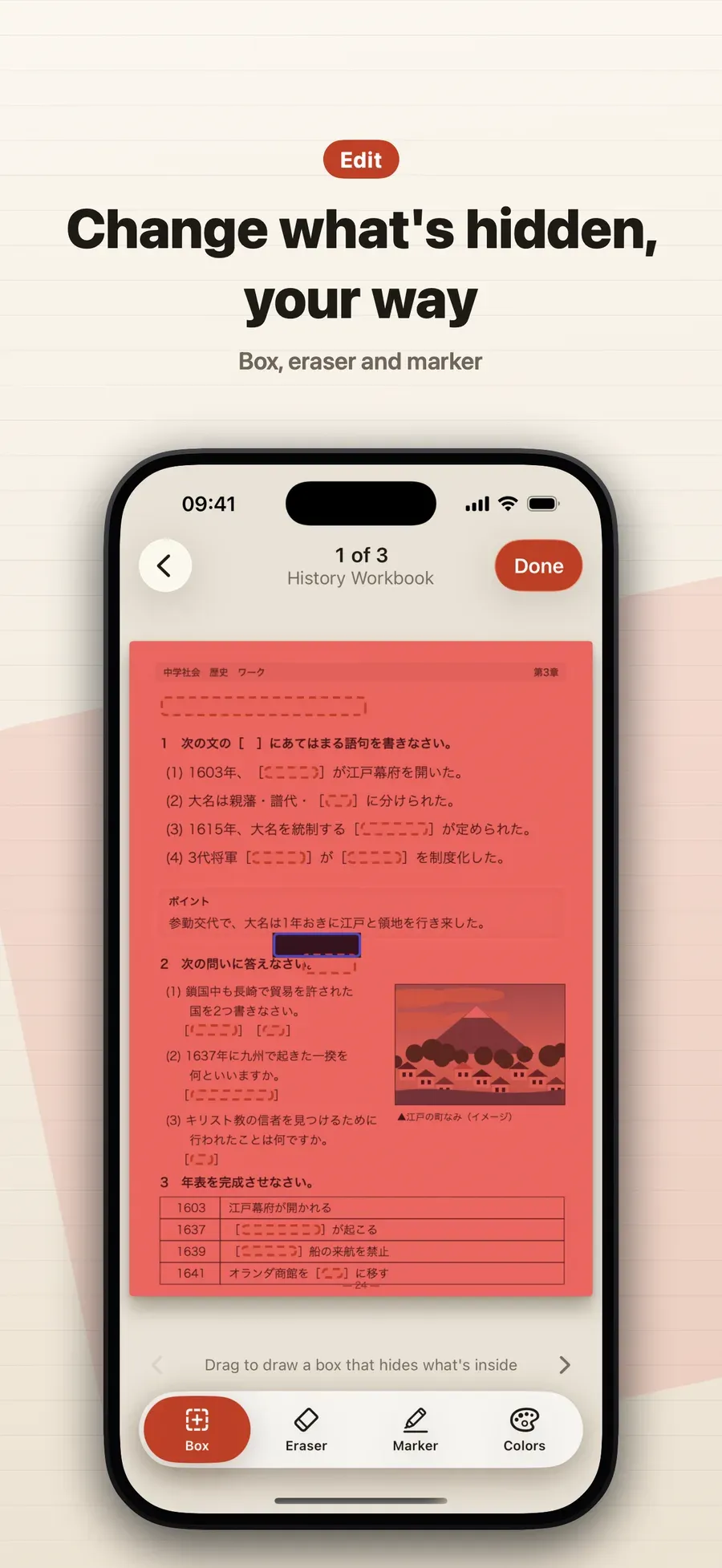
Tap to reveal one answer at a time; box or mark any word to hide it
Mark ○ or ×, and the answers you missed come back the next day
Add pages by scanning, from your photos or from a PDF
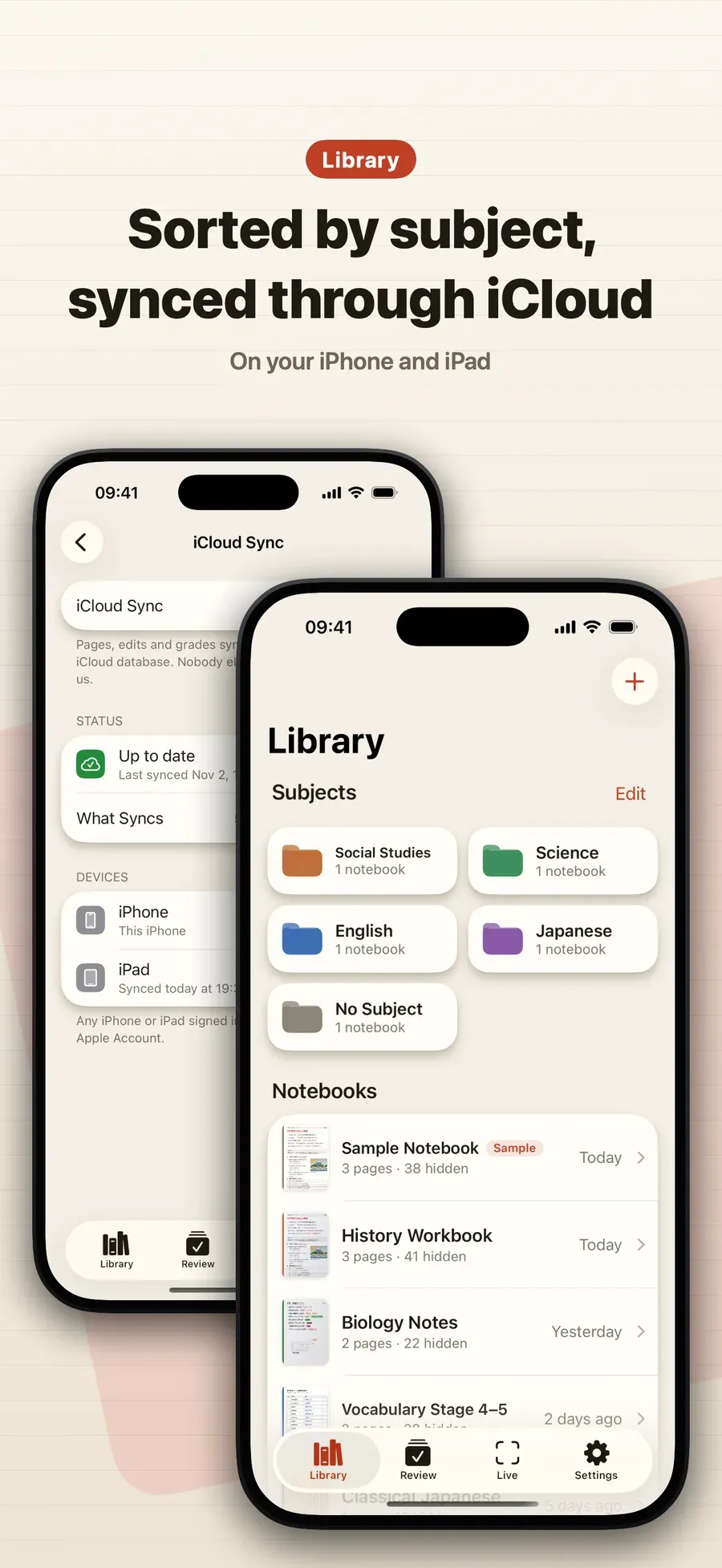
Syncs iPhone and iPad through your own iCloud, with a free backup
Free, private and yours
Every feature, free
PDF import, grading, review and iCloud sync, with no ads and no page limit.
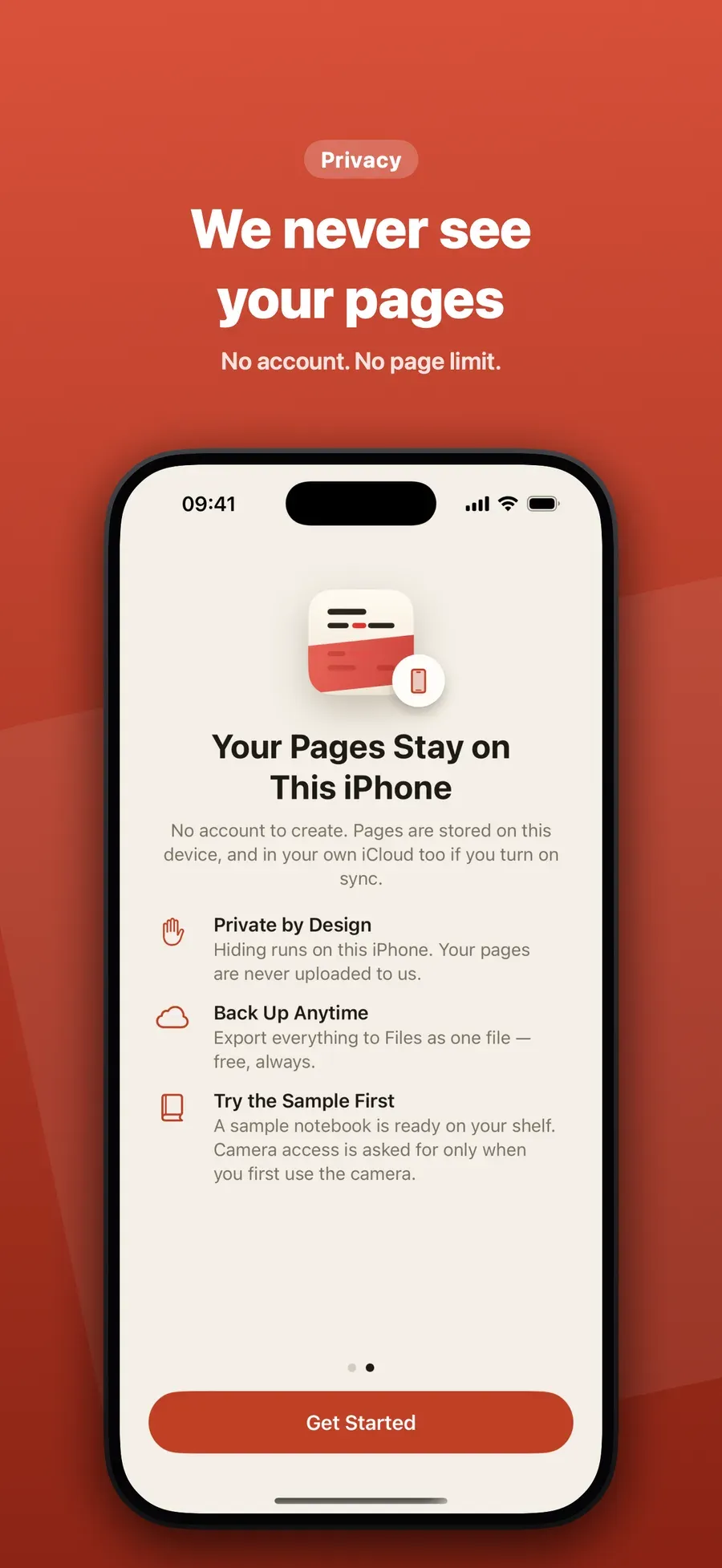
No account
Open it and start: a sample notebook is ready on your shelf.
Works offline
Hiding, grading and review run on your device. Only iCloud sync uses the internet.
We never see your pages
There is no server of ours to receive them, and backing up everything to one file is free.
Questions people ask
Is there an app that hides the answers in my notes so I can quiz myself?
Red Sheet, an iPhone and iPad app on the App Store, does this with photos of your own notes, textbooks and worksheets. It hides what you wrote in red, orange or pink pen and the words under a green highlighter, and you tap each answer to reveal it. Nothing needs typing: the page itself becomes the quiz.
Step by step: How to Turn Your Notes into a Quiz on iPhone Without Typing
How do I turn my notes into flashcards without typing them?
With Red Sheet you don’t make cards at all: take a photo of the page, and every answer written in red, orange or pink pen, or under a green highlighter, is hidden where it is. Tap one to reveal it and mark it ○ or ×, as you would turn over a card. Red Sheet is on the App Store for iPhone and iPad.
Step by step: How to Turn Your Notes into a Quiz on iPhone Without Typing
What is a red sheet, and how does it hide answers?
A red sheet is a sheet of clear red plastic that students in Japan lay over their notes. Through it, red and orange writing looks the same color as the paper and disappears, while black text stays dark, so you write the answers in red and test yourself. Red Sheet, an app for iPhone and iPad, puts red, green and blue sheets over photos of your pages.
Step by step: How to Use a Digital Red Sheet on iPhone and iPad
How can I hide words on a textbook page printed in black?
In Red Sheet, open the page in Edit and draw a box around the words, or draw over them with the marker: they stay hidden until you tap them, so any printed page becomes a fill-in-the-blank test. Red Sheet is on the App Store for iPhone and iPad.
Step by step: How to Hide Words on a Textbook Page and Make a Fill-in-the-Blank Test
Does Red Sheet work with PDFs and notes from other apps?
Yes. Red Sheet imports a PDF from the Files app and adds each of its pages to a notebook, so notes from another note-taking app work too once you export them as a PDF. You can also add pages with the document scanner or from your photos.
Step by step: How to Study from a PDF on iPhone and iPad, in Sync
Is there a free spaced repetition app for my own notes?
Red Sheet brings back the answers on your own pages when it’s time to review them, and every feature is free. Mark each answer ○ or ×: one you missed comes back the next day, and the ones you know come back after longer gaps, in the Review tab.
Step by step: How to Use Spaced Repetition on Your Own Notes on iPhone and iPad
How can I test myself on my notes?
Take a photo of the page with Red Sheet, an iPhone and iPad app on the App Store. It hides the answers you wrote in red, orange or pink pen, or under a green highlighter, so each one becomes a question. Tap to reveal one at a time and mark it ○ or ×, and the ones you missed come back the next day.
Step by step: How to Turn Your Notes into a Quiz on iPhone Without Typing
How do I use active recall with my own notes and textbooks?
Red Sheet turns the pages you already study from into active recall: the answers are hidden, you try to remember each one, and a tap shows whether you were right. Mark it ○ or ×, and Red Sheet brings the ones you missed back for review the next day. It works on photos, scans and PDFs of your own notes, textbooks and worksheets.
Step by step: How to Use Spaced Repetition on Your Own Notes on iPhone and iPad
How do I make a fill-in-the-blank worksheet from a textbook page?
In Red Sheet, add the page, open Edit and draw a box around each word you want to learn, or draw over it with the marker. Those words stay hidden until you tap them, so the page works as a fill-in-the-blank test. The eraser shows anything you hid by mistake.
Step by step: How to Hide Words on a Textbook Page and Make a Fill-in-the-Blank Test
How do I memorize notes for a test?
Quiz yourself on them: Red Sheet hides the answers on photos of your own notes and worksheets, and you reveal each one after trying to recall it. The ones you mark × come back the next day, and the ones you know come back after longer gaps. Use it for vocabulary, terms, dates and formulas, on iPhone and iPad.
Step by step: How to Use Spaced Repetition on Your Own Notes on iPhone and iPad
Is there a digital red sheet for studying on a phone?
Yes: Red Sheet for iPhone and iPad lays a red, green or blue sheet over photos of your own pages, so what you wrote in red, orange or pink pen disappears like it does under the real plastic sheet. Slide a band to check one question at a time. You don’t need to carry the real sheet.
Step by step: How to Use a Digital Red Sheet on iPhone and iPad
Which pen and highlighter colors does Red Sheet hide?
Under Red Sheet’s red sheet, red, orange and pink pen disappears, and words under a green highlighter turn dark and are hidden. Under the green sheet, words under a pink highlighter are hidden, and under the blue sheet, blue check pen disappears. You can switch sheets to match the pens and markers you used.
Step by step: Red, Green and Blue Sheet: Which Pens and Highlighters Does Red Sheet Hide?
Can I review only the answers I got wrong?
Yes. In Red Sheet, mark each answer ○ or × as you study. The Review tab has today’s review and a round of only the answers you missed, and a × comes back the next day while a ○ comes back after a longer gap.
Step by step: How to Use Spaced Repetition on Your Own Notes on iPhone and iPad
Does Red Sheet work with vertical text and Apple Pencil?
Yes. Red Sheet has a vertical band for vertical text, and a horizontal band for horizontal text, which you slide to check one question at a time. On iPad you can draw boxes and markers with Apple Pencil, and your pages, edits and grades sync with your iPhone through your own iCloud.
Step by step: How to Use a Digital Red Sheet on iPhone and iPad
Can I use Red Sheet to memorize vocabulary, terms and dates?
Yes. Photograph or scan a vocabulary list, a workbook page or your own notes, write or highlight the answers in red, orange, pink or green, and Red Sheet hides them. You tap to check each one and mark it ○ or ×. It works offline and needs no account.
Is Red Sheet free? Does it need an account?
Every feature of Red Sheet is free, with no in-app purchases, no ads and no page limit, and there is no account to make. A sample notebook is ready when you open it, so you can try it without the camera. Red Sheet is on the App Store for iPhone and iPad.
Does Red Sheet upload my pages? Does it work offline?
Red Sheet hides the answers on your iPhone or iPad without the internet, and W Lab never sees your pages: there is no server of ours to send them to. Your pages leave the device only through your own iCloud, when you turn on iCloud Sync, and in backups you export yourself.
Which iPhone and iPad can run Red Sheet?
Red Sheet runs on iPhone with iOS 17 or later and on iPad with iPadOS 17 or later, in English and Japanese. With iCloud Sync on, your pages, edits and grades stay the same on both, and on iPad you can draw boxes and markers with Apple Pencil.
Step by step: How to Study from a PDF on iPhone and iPad, in Sync
Guides
- Red, Green and Blue Sheet: Which Pens and Highlighters Does Red Sheet Hide? Under the red sheet red, orange and pink pen vanishes; green, pink and blue pens hide under their own sheets. See what each Red Sheet color hides.
- How to Use a Digital Red Sheet on iPhone and iPad Lay a red, green or blue sheet over photos of your own pages, or slide a band one question at a time, with Red Sheet. Free, no account.
- How to Hide Words on a Textbook Page and Make a Fill-in-the-Blank Test Box the words you want to learn on a printed page and Red Sheet hides them until you tap. Turn any page into fill-in-the-blank practice.
- How to Use Spaced Repetition on Your Own Notes on iPhone and iPad Mark each answer ○ or × and Red Sheet brings back the ones you missed the next day, with longer gaps for the ones you know. Free.
- How to Study from a PDF on iPhone and iPad, in Sync Import a PDF into Red Sheet and each page becomes a page to quiz yourself on. Sync iPhone and iPad through your own iCloud.
- How to Turn Your Notes into a Quiz on iPhone Without Typing Photograph your notes, textbook or worksheet and Red Sheet hides the answers so you can quiz yourself. Free, no account, works offline.

Your pages, under a red sheet
Get Red Sheet on the App Store, for iPhone and iPad.