 AuCut
Step by step
-
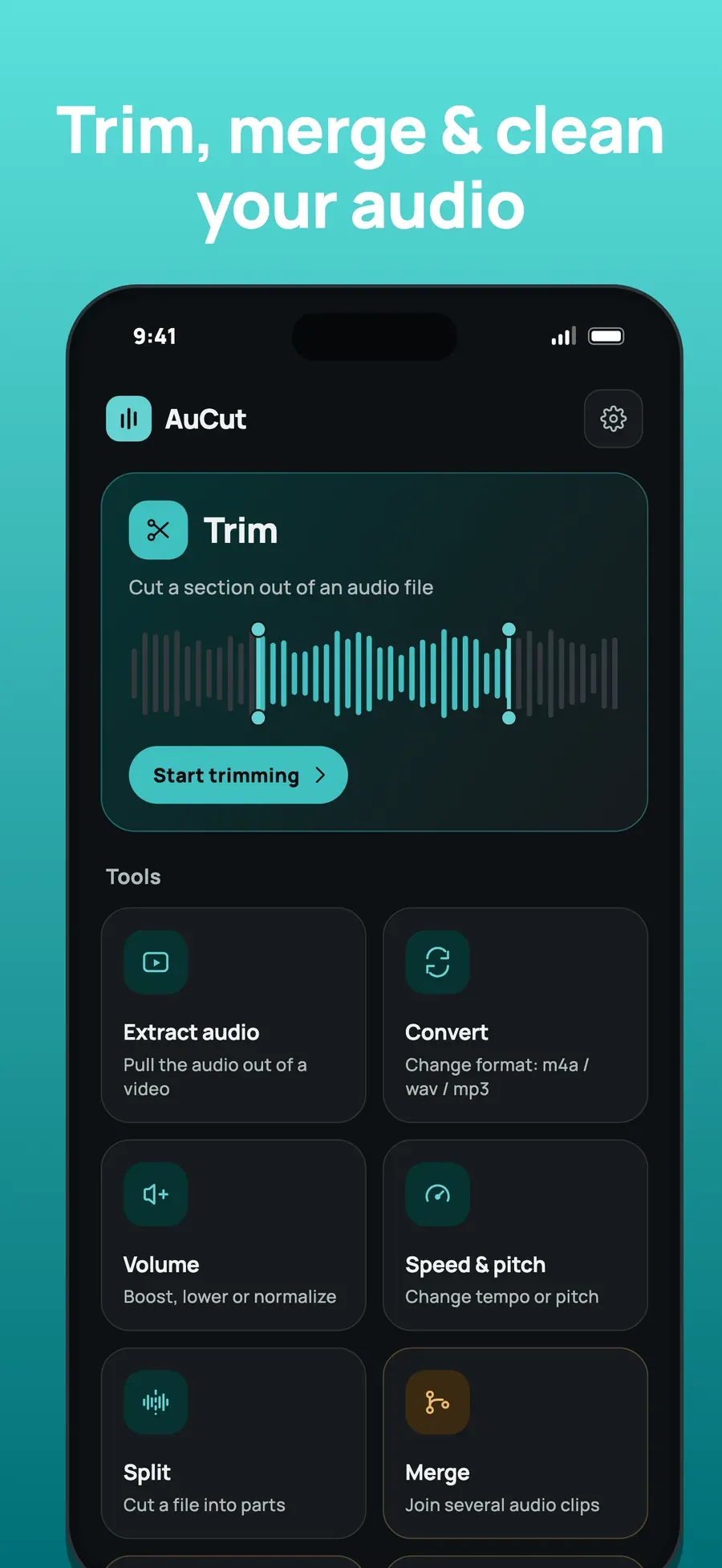
Open Trim and choose your audio. On AuCut’s home screen, tap Trim and pick an MP3, M4A or WAV file. Audio shared from another app, such as Voice Memos, opens in AuCut too.
-
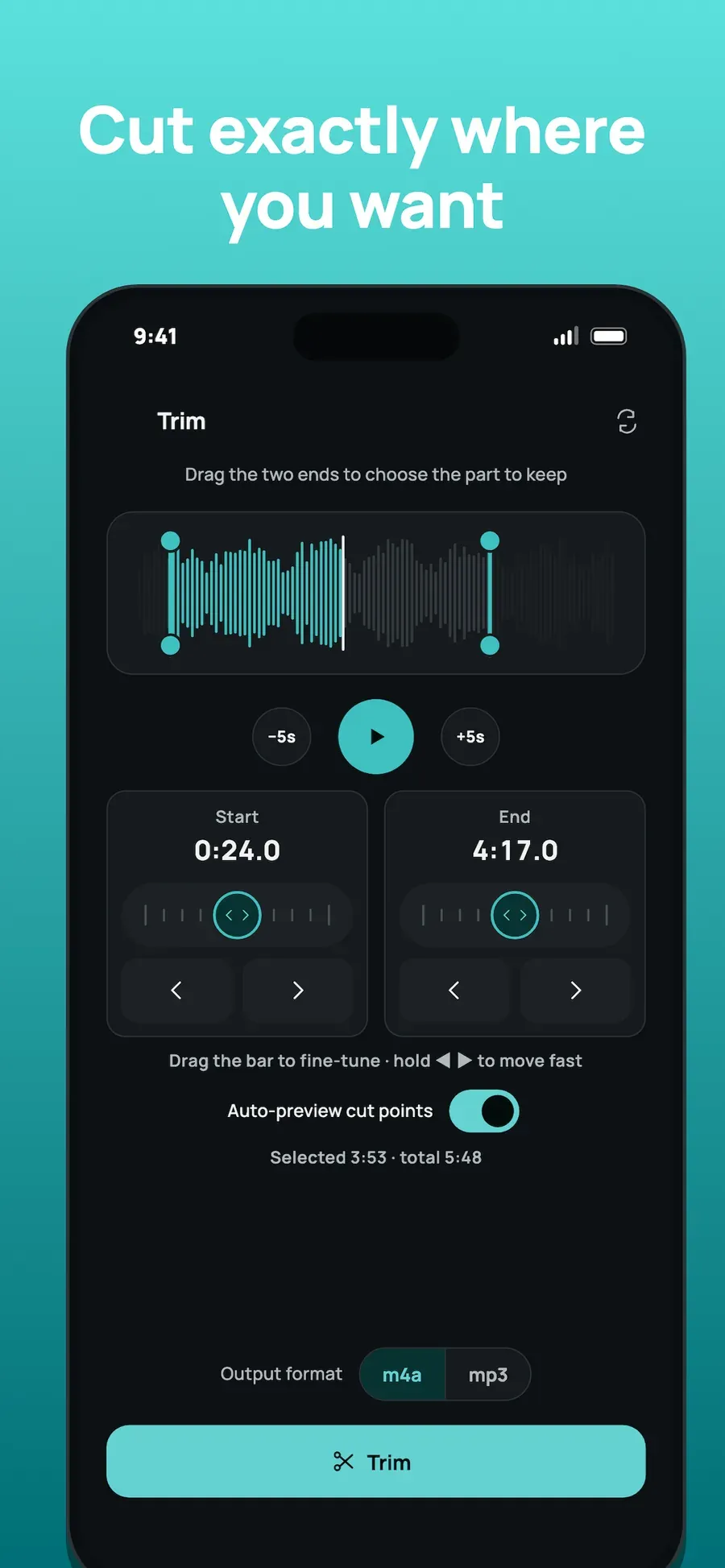
Drag the two ends to choose the part to keep. The waveform shows the whole file, with two ends you drag. Start and End show the exact times, and below the waveform the selected length and the total are shown. Use the -5s and +5s buttons and the play button to listen as you go.
-
Fine-tune each cut. Drag the bar under Start or End, or hold the arrow buttons to move fast. With Auto-preview cut points on, AuCut plays the audio around the cut every time you move it, so you hear exactly where it falls.
-
Pick the format and tap Trim. Choose m4a or mp3 under Output format and tap Trim. Then preview, share or save the result.
Good to know
- M4A or MP3? M4A keeps good quality in a small file and plays on Apple devices. MP3 plays almost everywhere else. Need WAV? Use the Convert tool afterwards.
- Volume and fades. Trim and Convert have volume and fade options too, so you can boost, normalize or fade while you cut. See make audio louder or quieter.
- Trim again. Any result screen has Trim this further, so you can keep cutting.
- Start from a video. Use extract audio from a video first, then trim the sound.
Other ways to do it
- Apple’s Voice Memos app can trim its own recordings, but it doesn’t open other audio files.
- Online audio cutters work in the browser, but they upload your file first, which is slow on mobile data and hands the file to a server.
Questions people ask
Can I trim an MP3 without losing quality?
Trimming keeps the part you choose, and you pick the output format: M4A keeps good quality in a small file, and MP3 plays almost everywhere. AuCut does it on your phone, so the file is never uploaded or sent through a compression service.
How precise is the cut?
You can set each cut to a tenth of a second. Drag the bar under Start or End to fine-tune, hold the arrow buttons to move fast, and AuCut plays the audio around the cut as you move it.
Does trimming work without internet?
Yes. AuCut trims on your phone itself, so it needs no connection and no account. It works in Airplane Mode, on a plane or anywhere without signal.

Get AuCut
Cut audio and extract it from video


On the App Store as “AuCut: Audio Cutter & Editor”. On Google Play as “adTrim: Offline Audio Tools”.