
A decibel meter for iPhone
Noise Meter: Decibel meter with date and time
Noise Meter measures sound levels in decibels with your iPhone’s microphone and keeps the date and time with every reading. Record a whole night, compare it with Japan’s day and night noise standards on every chart, and share a card with the average and maximum. Readings depend on your iPhone’s microphone: a one-minute check confirms it responds, and matching a dedicated sound level meter calibrates it. Noise Meter never records audio, only the level of each second; it needs no account.
On the App Store as “Noise Meter - Decibel Level”.
- Free to download
- Never records audio
- No account
- iPhone with iOS 17 or later
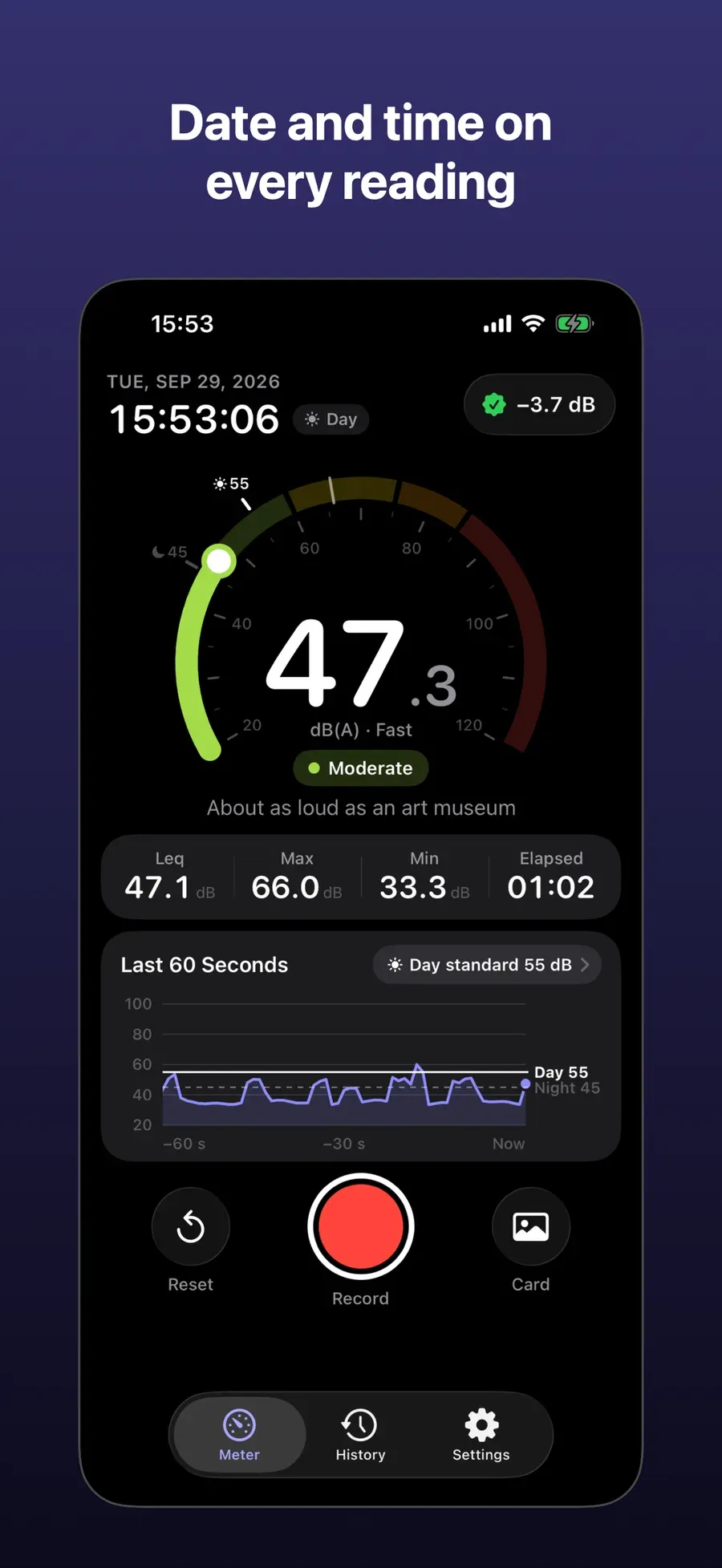
47 dB
Moderate
About as loud as an art museum
Above Japan’s night standard for homes (45 dB), within the day one (55 dB)
Measure, record, share
Measure
Open Noise Meter and the live level shows in decibels, with the date and time kept with every reading.
Record the night
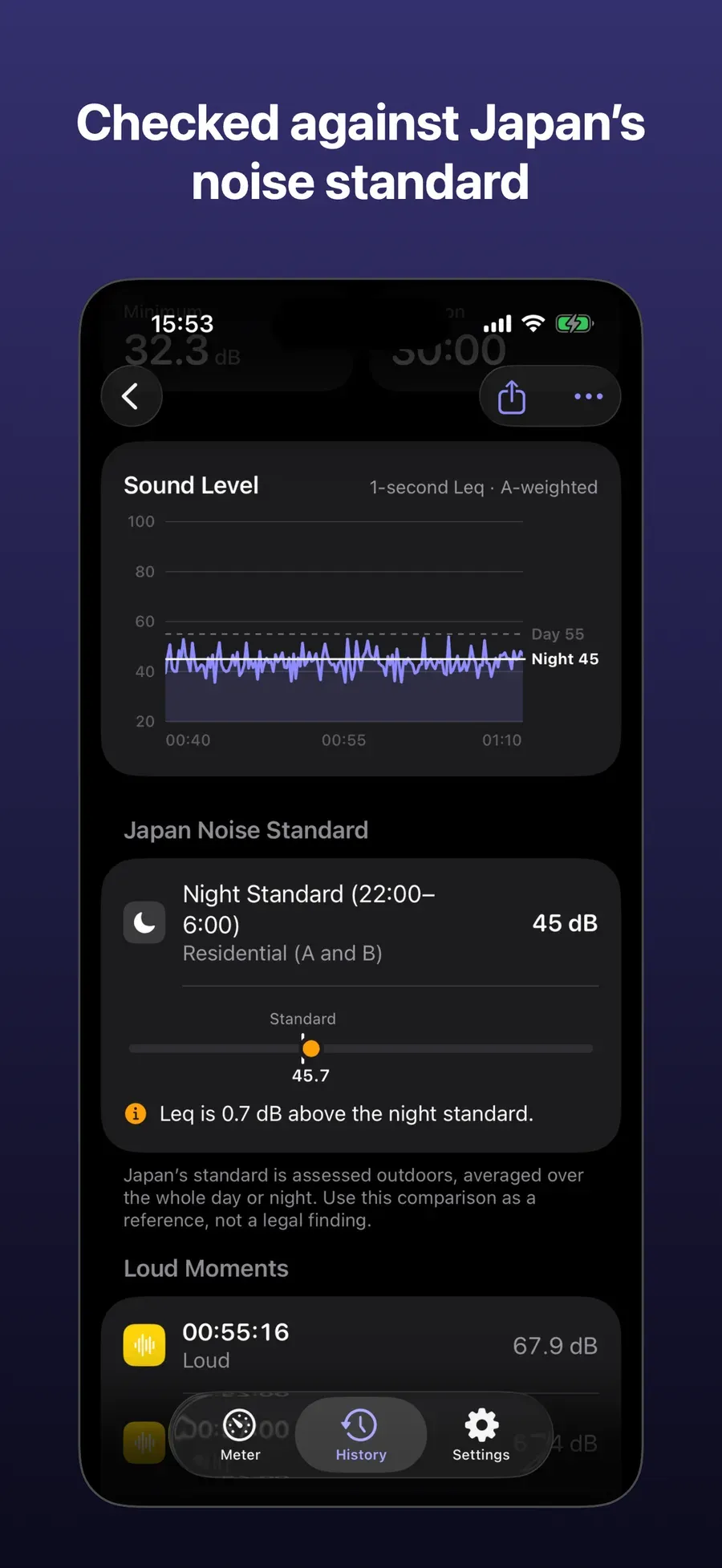
Record a whole night: the level of every second is kept with its time, and every session stays in your history.
Share a card
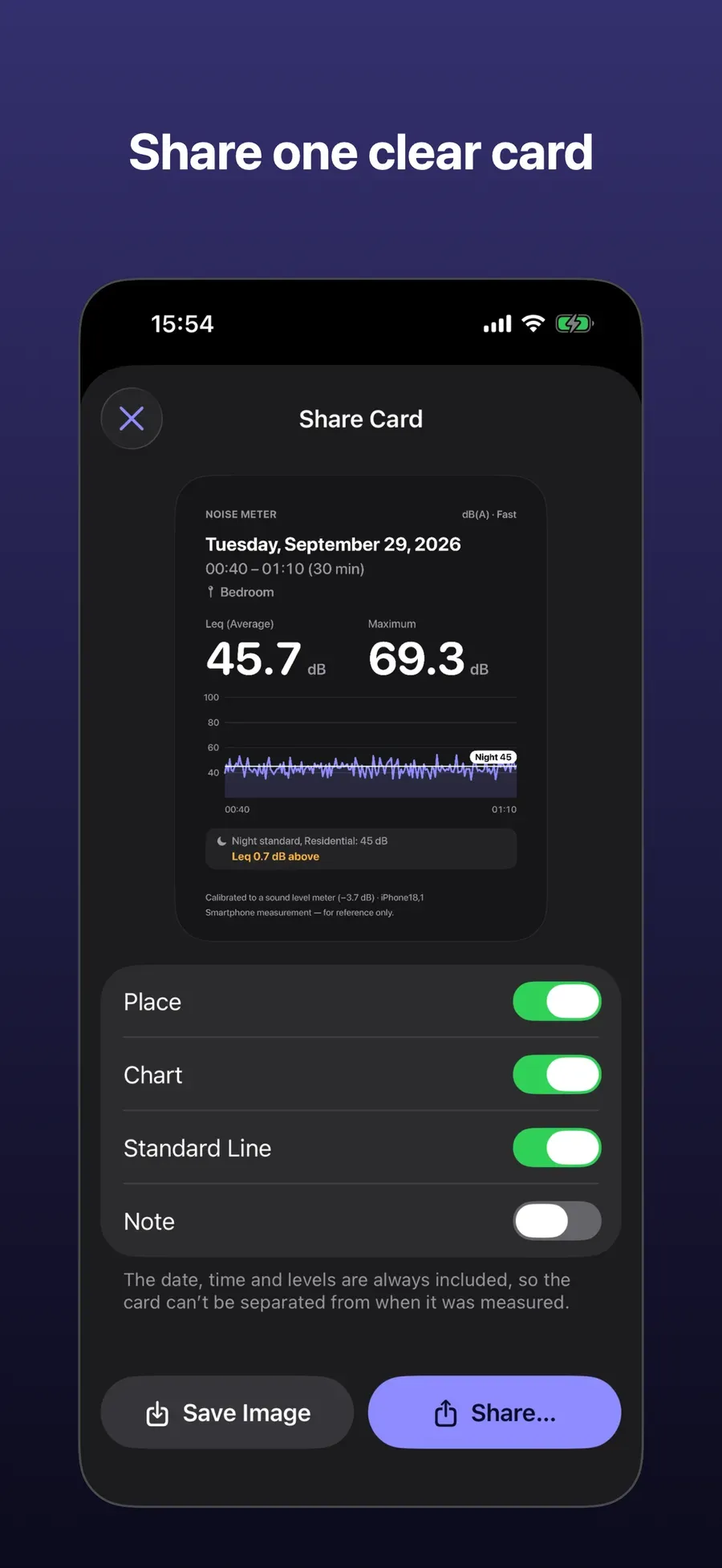
Send a card with the date, time, average and maximum, checked against Japan’s noise standards.
How loud is 40, 60 or 80 dB?
Under every reading, Noise Meter names a place about as loud. These are its 15 examples, from the Noise Level Guide for urban and suburban areas, published on the website of Japan’s Ministry of the Environment. The levels are read off the guide’s figure, so take each as about ±2 dB.
Japan’s standards are set for sound outdoors, as the average over the whole day (6:00–22:00) or night (22:00–6:00). Compare with them as a reference, not a legal finding.
| Level | About as loud as | Noise Meter says |
|---|---|---|
| 89 dB | a pachinko parlor | Extremely Loud |
| 83 dB | a game arcade | Very Loud |
| 78 dB | an airplane cabin | Very Loud |
| 75 dB | a subway car | Very Loud |
| 72 dB | a main road by day | Loud |
| 69 dB | a coffee shop | Loud |
| 65 dB | a family restaurant | Loud |
| 62 dB | a bank lobby | Loud |
| 57 dB | a city office counter | Moderate |
| 55 dB | Japan’s day standard for homes | |
| 51 dB | a high-rise neighborhood by day | Moderate |
| 47 dB | an art museum | Moderate |
| 45 dB | Japan’s night standard for homes | |
| 44 dB | a residential street by day | Moderate |
| 41 dB | a library | Moderate |
| 37 dB | a residential street at night | Quiet |
| 29 dB | a hotel room | Quiet |
See it on iPhone
The screenshots of its App Store listing. Tap one to see it bigger.
What it does
Live sound level in decibels, with the date and time kept with every reading
Record a whole night, and keep every session in your history
A one-minute microphone check, and calibration against a dedicated sound level meter if you have one
Charts show Japan’s day and night noise standards from the Ministry of the Environment: 55 and 45 dB for residential areas, plus the other area types
Share cards with the date, time, average and maximum
Never records audio: only the level of each second is kept, on your iPhone
It measures, it never listens
Never records audio
Only the level of each second is kept, on your iPhone.
No account
Nothing to sign up for, and your recordings stay on your iPhone.
Works offline
Measuring needs no internet connection.
Questions people ask
How can I measure the noise level at home with my iPhone?
Noise Meter, an iPhone app on the App Store, turns your iPhone's microphone into a decibel meter: open it in the room you want to check and it shows the live sound level, with the date and time kept for every reading. Record a session to keep it in your history; a one-minute check confirms the microphone responds, and you can calibrate the app against a dedicated sound level meter.
How do I record noise from my neighbors at night?
Noise Meter can record a whole night and logs the sound level of every second with its date and time, so you can see when your noisy neighbors were loudest. Give the recording a name, a place and a note, then share a card with the date, time, average and maximum. It stores the levels, never the audio itself.
Step by step: How to Record Your Neighbors’ Noise at Night with an iPhone
Are iPhone decibel meter apps accurate?
A phone's readings depend on its microphone. Noise Meter runs a one-minute check that the microphone responds, and if you have a dedicated sound level meter, you can calibrate Noise Meter by matching its readings to it. Every recording notes the iPhone model and settings it was measured with.
Step by step: How to Check and Calibrate a Decibel Meter App on iPhone
How do I record noise from my upstairs neighbor?
Put your iPhone on a table in the room where you hear the footsteps most and tap Record in Noise Meter. It keeps the level of every second with its date and time, and the recording’s maximum as well as its average, so short thumps still show even when the average stays low. Name the recording, pick the room as its place, add a note such as “footsteps”, and record at the same spot on other days to show a pattern.
Step by step: How to Record Your Neighbors’ Noise at Night with an iPhone
Can I use a decibel meter app as evidence of noise?
Noise Meter gives you a dated record to show your landlord or building manager: the level of every second with its date and time, and a share card with the average and maximum. Its readings are an estimate from your iPhone’s microphone, not a certified measurement, so they can’t replace a verified sound level meter for official or legal use.
Step by step: How to Record Your Neighbors’ Noise at Night with an iPhone
How do I calibrate a decibel meter app on iPhone?
In Noise Meter, open Settings › Calibration and start the one-minute check: it confirms the reading drops in a quiet room and follows the volume up and down. If you have a sound level meter, set it to A-weighting, place it next to your iPhone and enter what it shows, and Noise Meter adds that one correction to every reading. Without one, it uses the standard correction for your iPhone model.
Step by step: How to Check and Calibrate a Decibel Meter App on iPhone
How do I compare a recording with Japan’s noise standard?
Choose your area type in Noise Meter’s Settings, such as Residential, Special quiet (AA), Mixed (C) or an area facing a road, and its charts draw that area’s day and night standards as lines. The share card also says how many decibels the recording’s Leq is above the standard. Japan’s standards are assessed outdoors over a whole day or night, so a short indoor recording is a reference, not a verdict.
Can Noise Meter measure low-frequency noise like footsteps or bass?
Yes, as a reference: set Weighting to C or Z in Noise Meter’s Settings, and low-frequency sound like footsteps and bass shows more strongly. A-weighting, the default, matches how people hear and is the one Japan’s noise standard uses. An iPhone’s microphone is built for voices, not measurement, so treat the readings as an estimate.
What noise level is acceptable at night?
Japan's official standard for residential areas is 45 dB at night (22:00–6:00) and 55 dB by day (6:00–22:00), and Noise Meter draws those limits on every chart. The standard comes from Japan's Ministry of the Environment, which sets other limits, from 50/40 dB to 70/65 dB, for other area types; the app has those too. Treat the comparison as a reference, not a legal finding: limits where you live may differ.
Is there a free decibel meter app for iPhone?
Noise Meter is free to download on the App Store, and measuring, history, calibration and share cards are free. It needs no account and runs on iPhones with iOS 17 or later.
Does Noise Meter record audio?
No. Noise Meter uses the microphone only to calculate sound levels: it keeps numbers for each second, never the sound, and they stay on your iPhone unless you share them. It needs no account and measures without an internet connection.
Guides
- How to Check and Calibrate a Decibel Meter App on iPhone Check that your iPhone’s microphone responds and match it to a sound level meter with Noise Meter’s three-step calibration, under Settings.
- How to Record Your Neighbors’ Noise at Night with an iPhone Log noise from neighbors or upstairs footsteps all night with Noise Meter: decibels with the date and time, no audio recorded, no account.

Know when it was loud
Noise Meter is free to download on the App Store, for iPhone.

On the App Store as “Noise Meter - Decibel Level”.