
A lecture and meeting recorder for iPhone
Koedori: Record lectures, transcribe them offline
Koedori is a free iPhone app to record a lecture, meeting or interview and transcribe it to text. It is an offline transcription app: it converts voice to text on the device itself, with no account and no limit on hours, and works in Airplane Mode once your language's speech model is downloaded. Your audio never leaves your iPhone. Transcribe voice memos, videos and old recordings too, search every transcript, and export as text, Markdown, SRT or WebVTT subtitles. It transcribes about ten languages, including English, Japanese, Chinese, Korean, Spanish and French.
On the App Store as “Lecture Recorder: Transcribe”.
- Free to download
- Works offline
- No account
- iPhone with iOS 26 or later
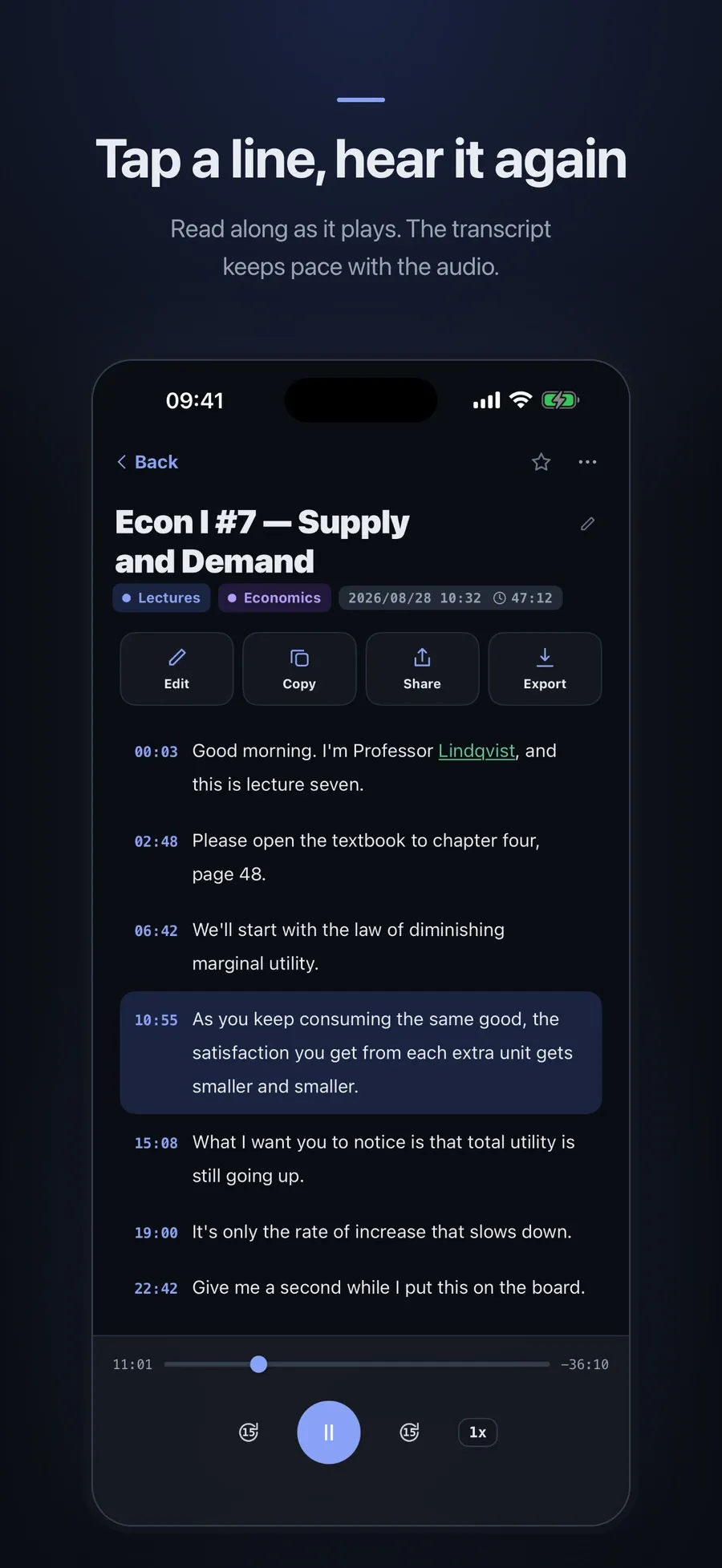
Econ I #7 — Supply and Demand
- 00:03 Good morning. I’m Professor Lindqvist, and this is lecture seven.
- 02:48 Please open the textbook to chapter four, page 48.
- 06:42 We’ll start with the law of diminishing marginal utility.
- 10:55 As you keep consuming the same good, the satisfaction you get from each extra unit gets smaller and smaller.
- 15:08 What I want you to notice is that total utility is still going up.
- 19:00 It’s only the rate of increase that slows down.
- 22:42 Give me a second while I put this on the board.
Record, read, find
Record
Press record in a lecture or meeting. Koedori keeps going with the screen locked, and splits a recording longer than three hours so nothing is lost.
Read
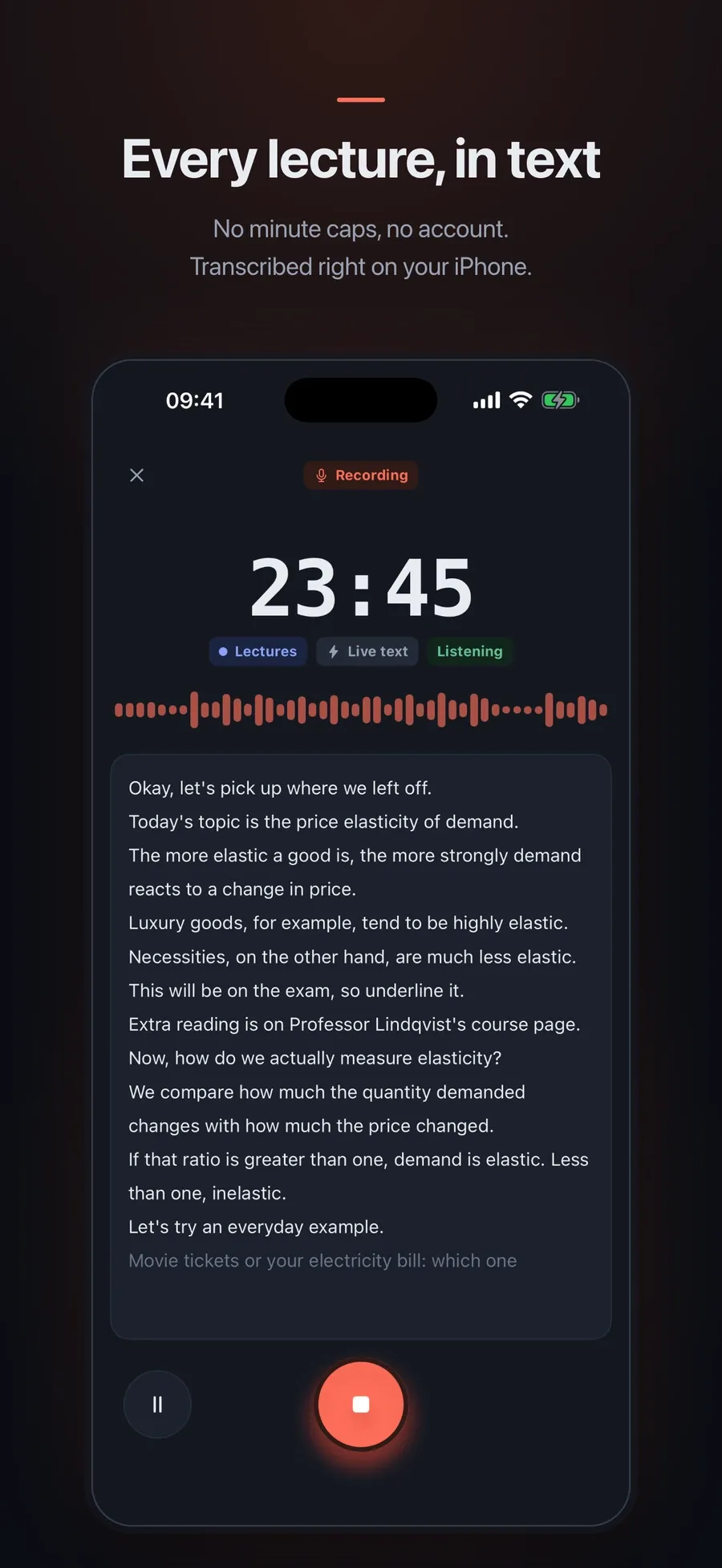
Words appear live while someone speaks, or the moment you stop. All on your iPhone, in about ten languages, with no account.
Find
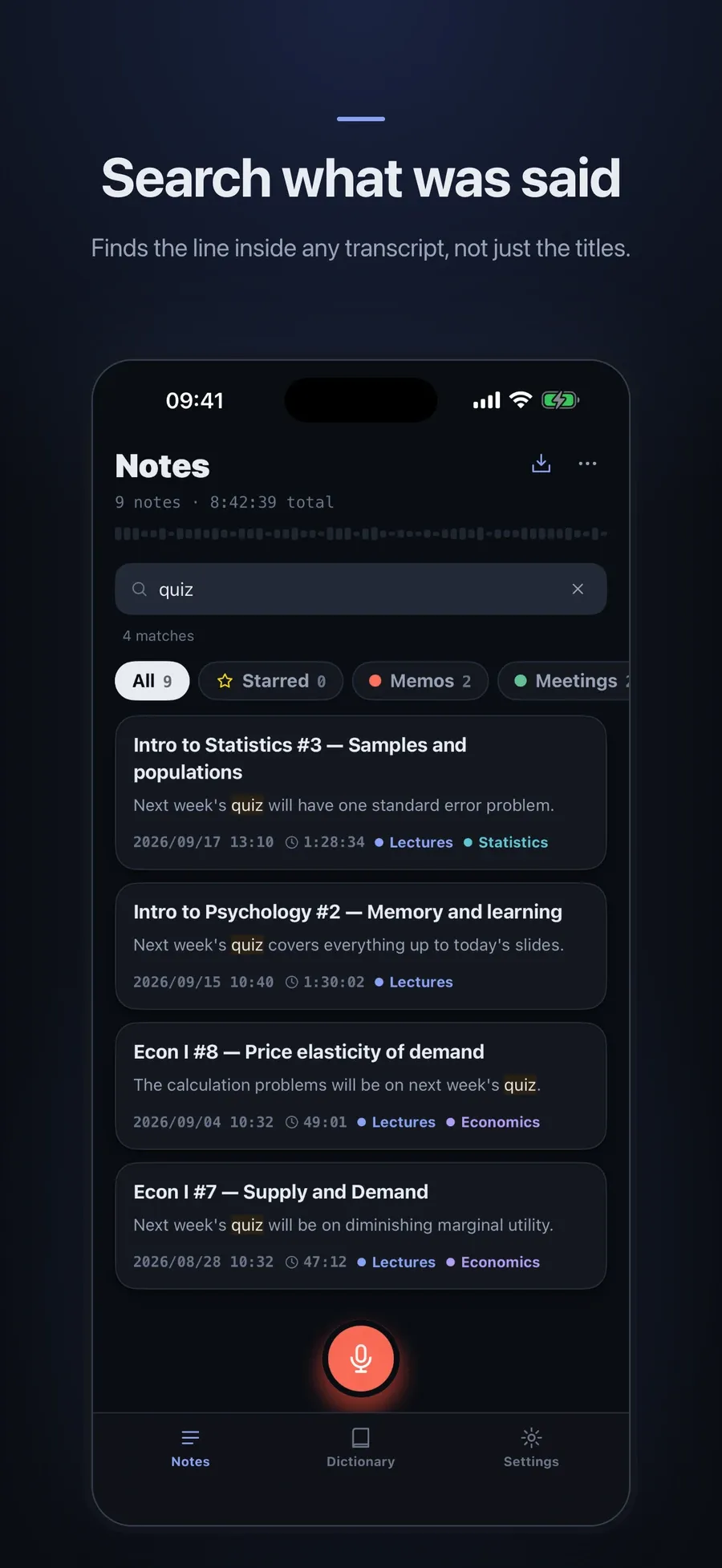
Search inside every transcript, tap a line to hear it again, and export as text, Markdown, SRT or WebVTT.
See it on iPhone
The screenshots of its App Store listing. Tap one to see it bigger.
What Koedori does
Transcribes when you stop recording, or live while you speak
Keeps recording with the screen locked, and splits recordings longer than three hours so nothing is lost
Tap any line of the transcript to play the audio from there
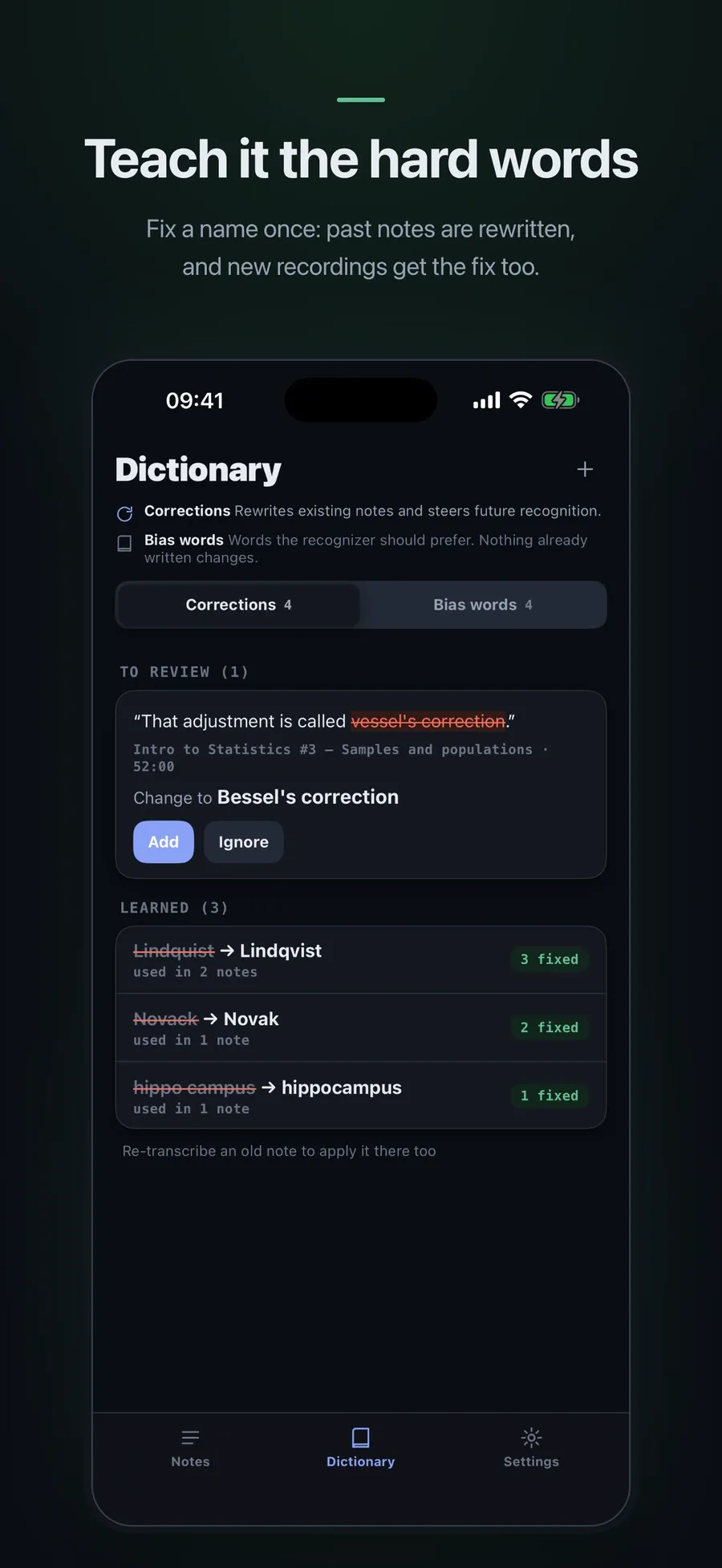
Add a correction once, and Koedori fixes that word in new notes and rewrites earlier ones
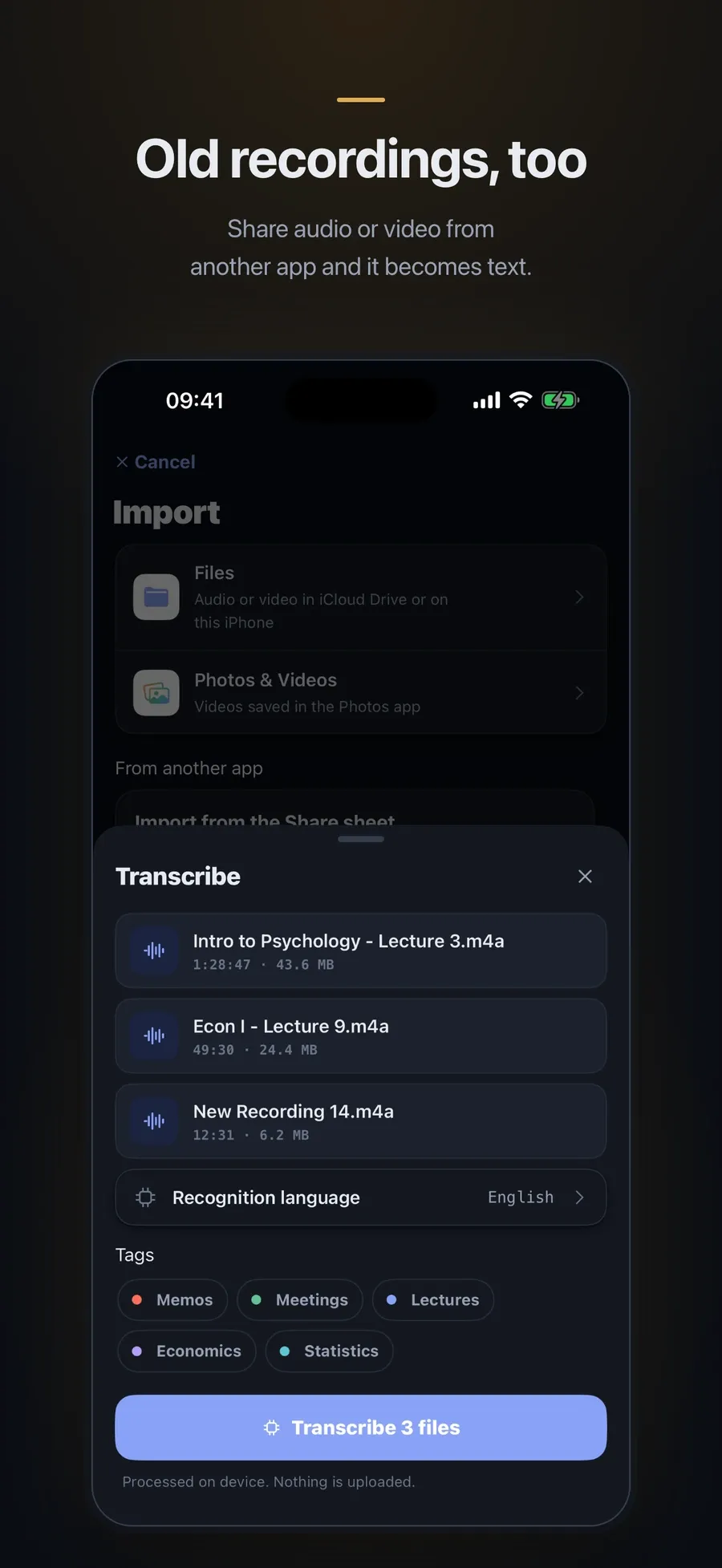
Import audio or video from Files or Photos, or share a recording from Voice Memos
Search inside every transcript; export as plain text, SRT or WebVTT subtitles, or Markdown
Your voice stays on your iPhone
Offline
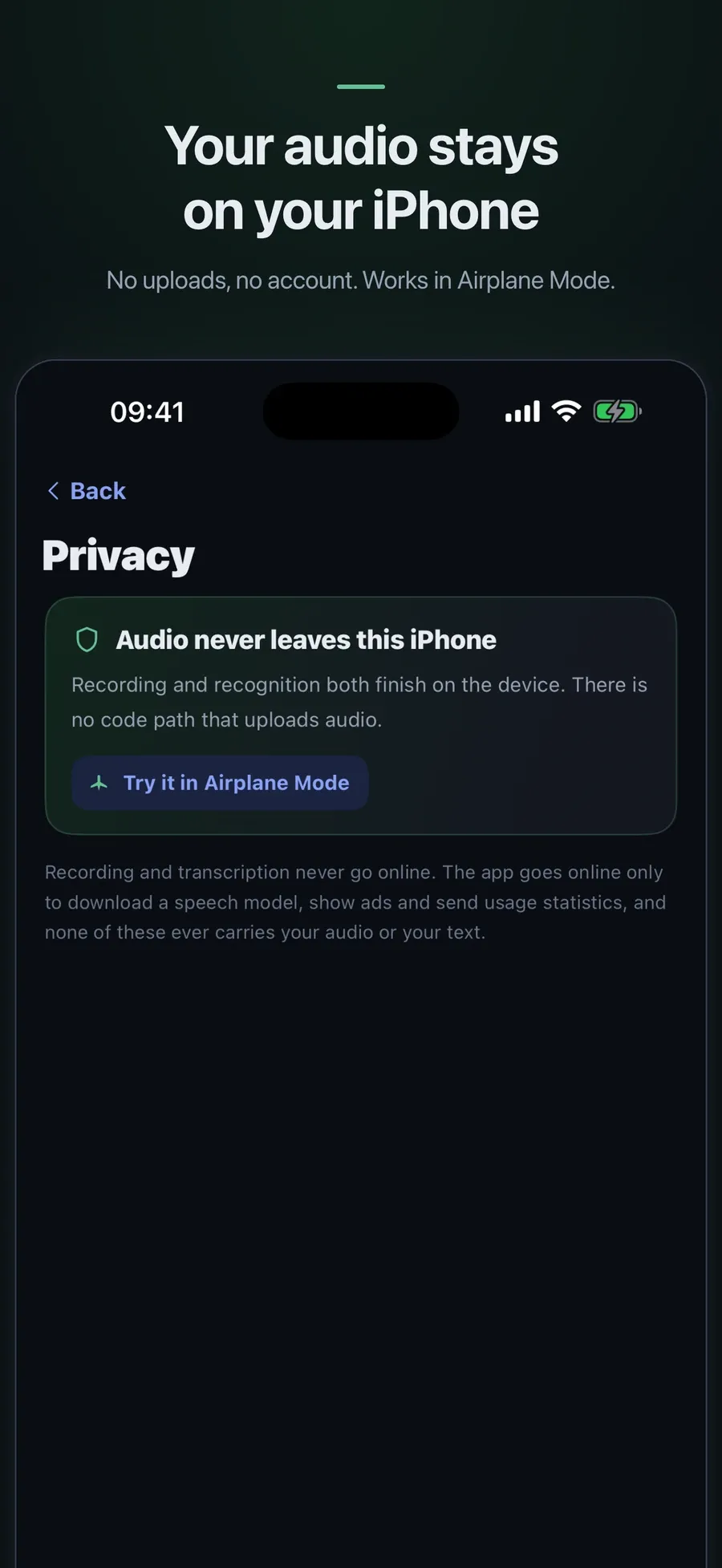
Download your language’s speech model once, from Settings, and it works in Airplane Mode.
No uploads
Transcription happens on the device itself. Your audio never leaves your iPhone.
No account
Open it and record. There is nothing to sign up for.
Free for as many hours as you like
Transcribe lectures, meetings and interviews, and re-transcribe any note, without counting minutes.
Questions people ask
How do I record a lecture on iPhone and turn it into text?
Koedori, on the App Store as “Lecture Recorder: Transcribe”, records a lecture on your iPhone and transcribes it on the phone itself. Transcription starts the moment you stop recording, or you can watch the words appear while the lecturer speaks, and recording carries on with the screen locked. Later, tap any line of the transcript to hear that moment again.
Step by step: How to Record and Transcribe a Lecture on iPhone, Offline
How do I transcribe a voice memo or a video on iPhone?
Share the voice memo to Koedori, on the App Store as “Lecture Recorder: Transcribe”, or import audio or video from the Files app, or a video from Photos. Koedori transcribes it on your iPhone, and you can copy the text or export it as plain text, Markdown, or SRT and WebVTT subtitles.
How do I record and transcribe a meeting or an interview on iPhone?
Koedori, on the App Store as “Lecture Recorder: Transcribe”, records meetings and interviews on your iPhone and turns them into a transcript you can search later. Recordings longer than three hours are split automatically so nothing is lost, and each note gets a title written from what was said. To write up minutes, export the transcript as text or Markdown, with or without timestamps.
Step by step: How to Record a Meeting and Write the Minutes on iPhone
Is there a free transcription app for iPhone that needs no account?
Yes: Koedori, on the App Store as “Lecture Recorder: Transcribe”, transcribes on your iPhone itself, so transcription is free for as many hours as you like, with no account. You can re-transcribe any note as often as you want, and there's no limit on exports either.
Can I transcribe audio on iPhone offline, without internet?
Yes: Koedori, on the App Store as “Lecture Recorder: Transcribe”, records and transcribes entirely on your iPhone, so it works in Airplane Mode. iOS downloads each language's speech model once, from Settings; after that, recording and transcription need no connection, and your audio never leaves the phone.
Step by step: How to Record and Transcribe a Lecture on iPhone, Offline
Which languages does Koedori transcribe, and which iPhones does it run on?
Koedori transcribes about ten languages on the iPhone, including English, Japanese, Chinese, Korean, Spanish, French, German, Italian and Portuguese. It's an iPhone app for iOS 26 or later, on the App Store as “Lecture Recorder: Transcribe”.
Is there a lecture recording app for students that writes the notes for me?
Yes: Koedori, on the App Store as “Lecture Recorder: Transcribe”, records a lecture on your iPhone and turns it into a transcript you can read, search and replay. Teach it your course’s hard words once, and it fixes them in every note. Transcription is free for as many hours as you like, with no account.
Step by step: How to Record and Transcribe a Lecture on iPhone, Offline
Is there a live transcribe app for iPhone?
Yes: Koedori, on the App Store as “Lecture Recorder: Transcribe”, can transcribe live, so you watch the words appear while someone speaks. Or let it transcribe the moment you stop recording. Both happen on your iPhone, so they work without a connection, in Airplane Mode too.
Step by step: How to Record and Transcribe a Lecture on iPhone, Offline
Can I make an SRT subtitle file from audio or a video on iPhone?
Yes: import the audio or video into Koedori, on the App Store as “Lecture Recorder: Transcribe”, from the Files app or Photos, and it transcribes it on your iPhone. Then export the transcript as SRT or WebVTT subtitles, with the timing of each line. Plain text and Markdown exports are there too.
Step by step: How to Make SRT Subtitles from Audio or Video on iPhone
Is it safe to transcribe a private meeting or interview on my iPhone?
Koedori, on the App Store as “Lecture Recorder: Transcribe”, transcribes on your iPhone itself. Your audio is not uploaded and never leaves the phone, and there is no account to sign up for. That makes it a fit for private meetings, interviews and lectures you would rather not send to a server.
Step by step: How to Transcribe an Interview on iPhone, Free and Offline
How long can I record and transcribe in one go?
With Koedori, on the App Store as “Lecture Recorder: Transcribe”, a recording can run for hours: it keeps going with the screen locked, and a recording longer than three hours is split into parts automatically so nothing is lost. Transcription is free for as many hours as you like.
Step by step: How to Record and Transcribe a Lecture on iPhone, Offline
How do I fix wrong names and technical terms in a transcript?
In Koedori, on the App Store as “Lecture Recorder: Transcribe”, add a correction once: the wrong spelling and the right one. Koedori then fixes that word in every new transcript and rewrites your earlier notes too. It suits names, course vocabulary and jargon that speech recognition often gets wrong.
Step by step: How to Fix Wrong Names and Terms in a Transcript on iPhone
How do I find what was said in a long recording?
Search in Koedori, on the App Store as “Lecture Recorder: Transcribe”, looks inside every transcript, not just the titles, and finds the line you remember. Tap that line and the audio plays from that moment, so you hear it in context.
Step by step: How to Record and Transcribe a Lecture on iPhone, Offline
Is Koedori the same app as “Lecture Recorder: Transcribe”?
Yes. Koedori is the app’s name at W Lab, and “Lecture Recorder: Transcribe” is the title of its App Store listing. It is one app: an iPhone app that records lectures and meetings and transcribes them on the device. In Japan it is called 声どり.
Is Koedori available for Android, iPad or Mac?
Koedori is made for iPhone, for iOS 26 or later, and it is on the App Store as “Lecture Recorder: Transcribe”. There is no Android version. If you have an iPhone, you can record and transcribe on it without an account or an internet connection.
Guides
- How to Record and Transcribe a Lecture on iPhone, Offline Record a lecture and turn it into searchable text on your iPhone with Koedori: offline, no account, free for as many hours as you like.
- How to Record a Meeting and Write the Minutes on iPhone Record a meeting with Koedori, get a searchable transcript on your iPhone, and write the minutes from it: offline, nothing uploaded, no account.
- How to Transcribe an Interview on iPhone, Free and Offline Record an interview or import one you have, and get a timestamped transcript on your iPhone with Koedori: free, offline, nothing uploaded, no account.
- How to Fix Wrong Names and Terms in a Transcript on iPhone Teach Koedori a name or term once and it fixes that word in new transcripts and rewrites your earlier notes, all on your iPhone.
- How to Make SRT Subtitles from Audio or Video on iPhone Turn audio or a video into an SRT or WebVTT subtitle file on your iPhone with Koedori: transcribed on the device, no upload, no account.
- How to Transcribe a Voice Memo on iPhone Turn a voice memo or any recording into text on your iPhone with Koedori: share it from Voice Memos, offline, no account.

Every lecture, in text
Koedori records and transcribes on your iPhone: offline, with no account, for as many hours as you like.

On the App Store as “Lecture Recorder: Transcribe”.