 Koedori
Step by step
-
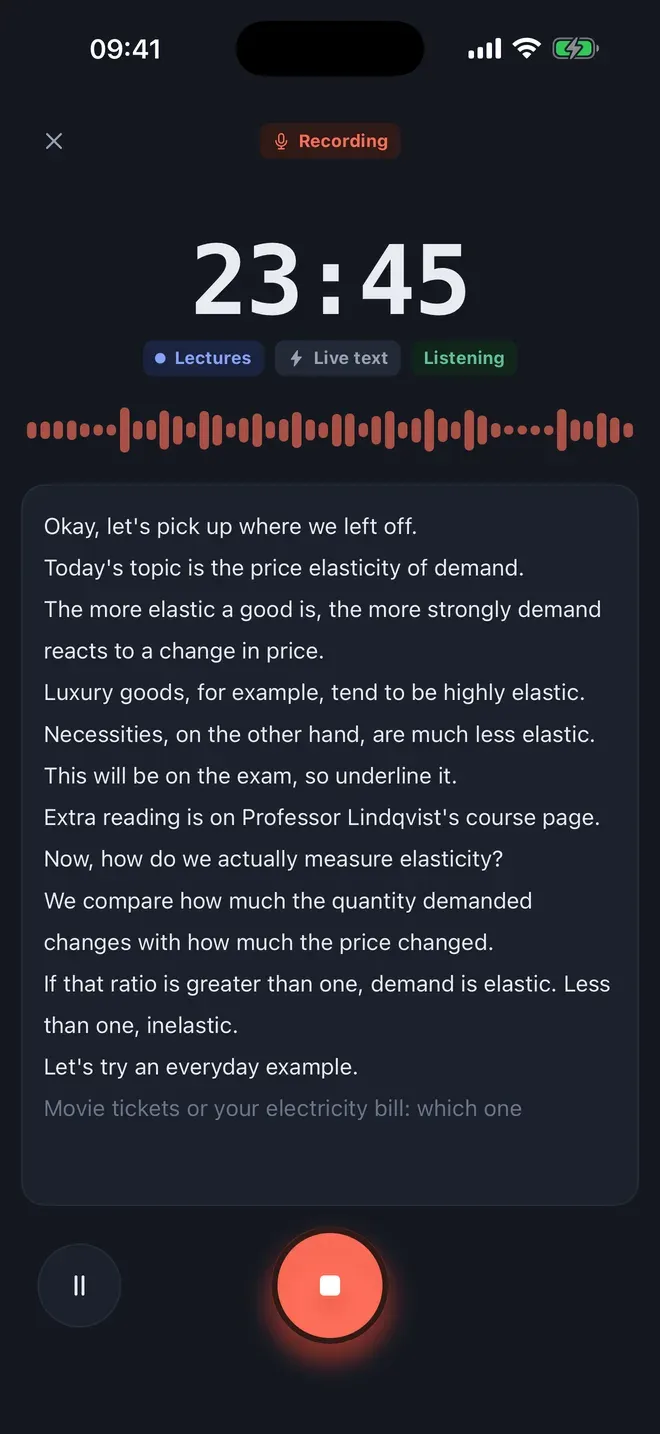
Record the meeting. Tap the round record button and choose a tag such as Meetings. Set the phone in the middle of the table. Use Live text if you want to follow along, or let Koedori transcribe when you stop.
-
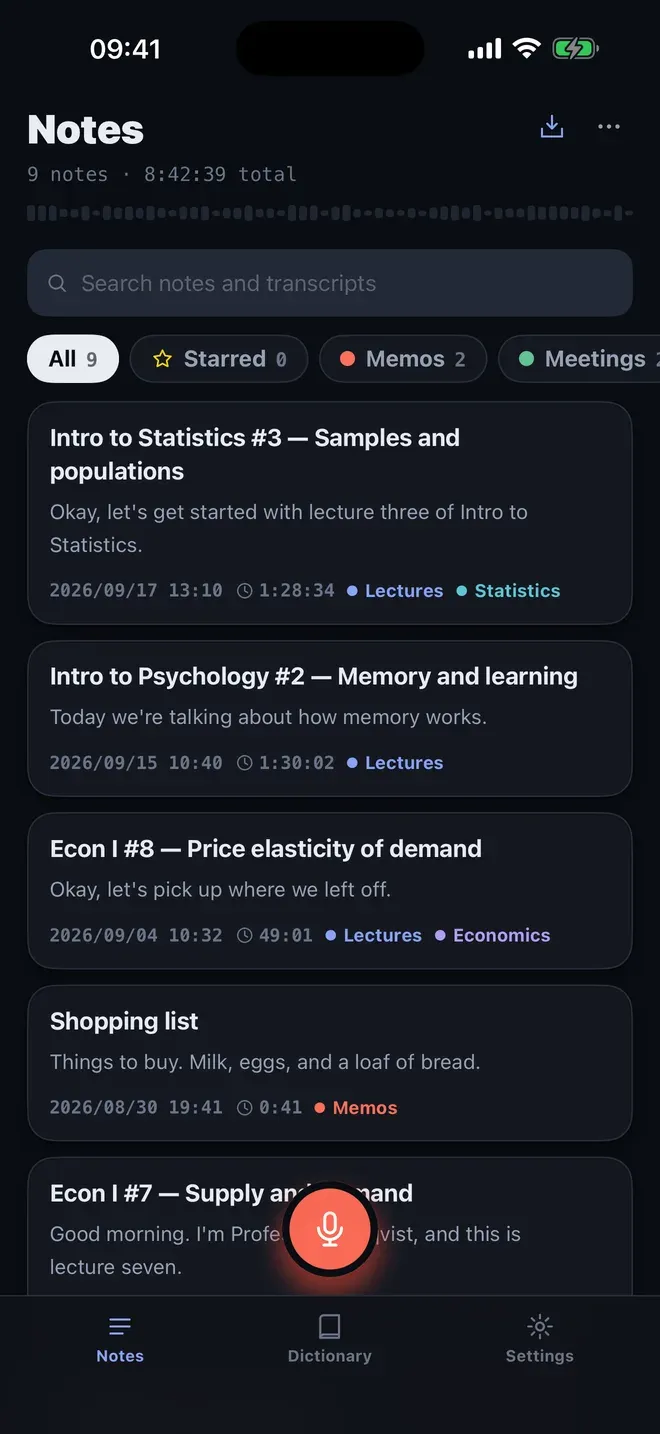
Find the note afterwards. The Notes tab lists every recording with its first lines, tags and length. Filter by tag with one tap, or search for a word, a name or a decision.
-
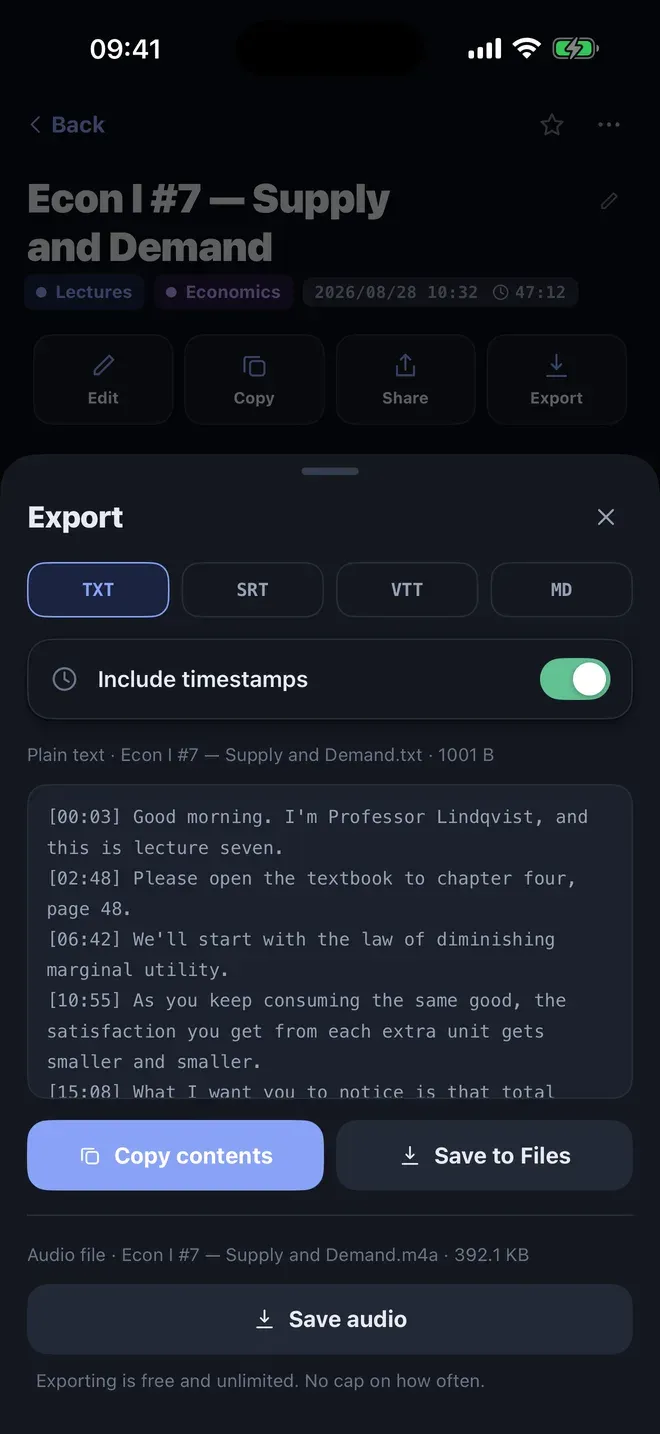
Export for the minutes. Open the note, tap Export, and choose TXT or MD. Switch Include timestamps on or off, then Copy contents or Save to Files.
Tips
- Ask before recording. Tell everyone you are recording, and check your company’s rules.
- One speaker at a time. The transcript is clearer when people don’t talk over each other.
- Add names to the Dictionary with this guide, so colleagues’ names come out right.
Other ways to do it
- Note-taking by hand is slower, and it’s hard to listen and write at once.
- Online meeting recorders work inside video calls, and they send audio to their servers. Koedori also works for in-person meetings, and the audio stays on your iPhone.
Questions people ask
How do I make meeting minutes from a transcript?
Export the transcript from Koedori as text or Markdown, with timestamps if you want them, and paste it into your document. Then shorten it into decisions and actions. Koedori writes the transcript, and you write the minutes.
Can I record a long meeting?
Yes. Koedori keeps recording with the screen locked and splits a recording longer than three hours into parts automatically, so nothing is lost.

Get Koedori
Record lectures, transcribe them offline

On the App Store as “Lecture Recorder: Transcribe”.