 Koedori
Step by step
-
Share the voice memo to Koedori. In the Voice Memos app, open a recording, tap the share button and choose Koedori. You can also open Koedori’s Import screen and pick audio or video from Files, or a video from Photos & Videos.
-
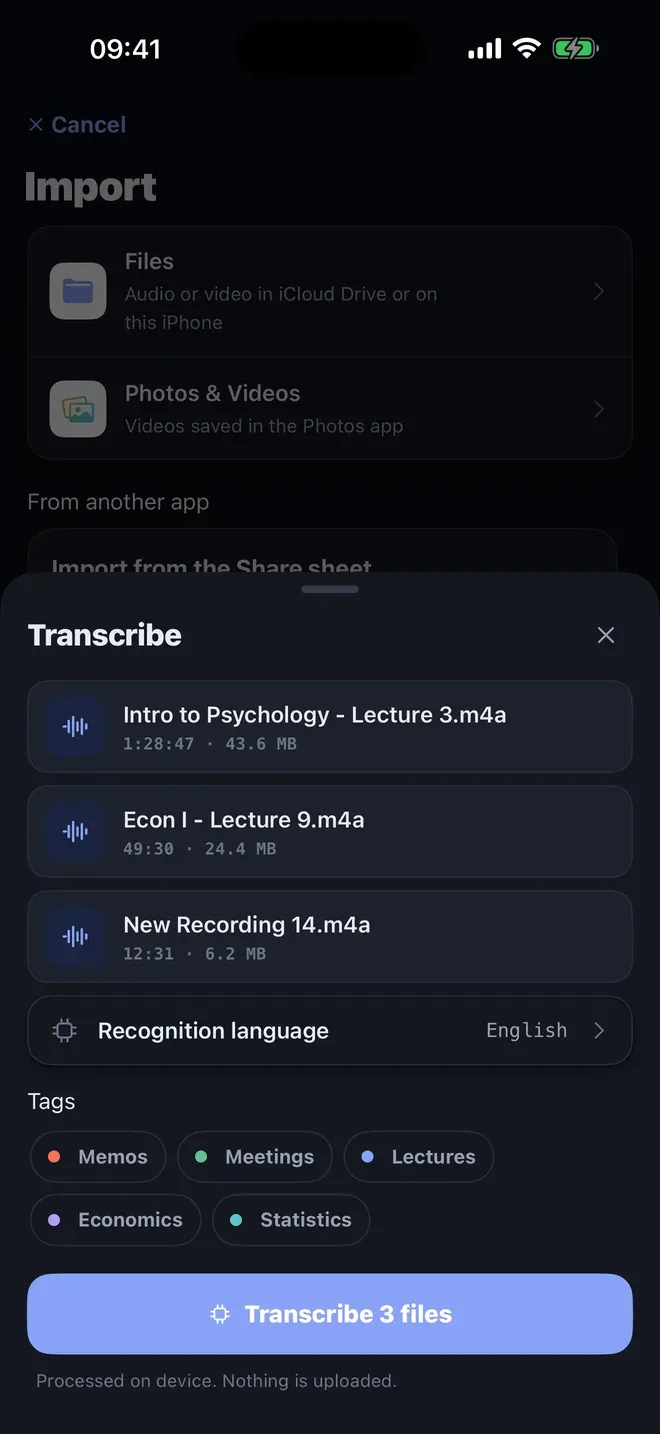
Choose the language, tags and Transcribe. The Transcribe sheet lists your recordings with their lengths. Set the Recognition language, tick a tag such as Memos or Lectures, and tap Transcribe. It says “Processed on device. Nothing is uploaded.”
-
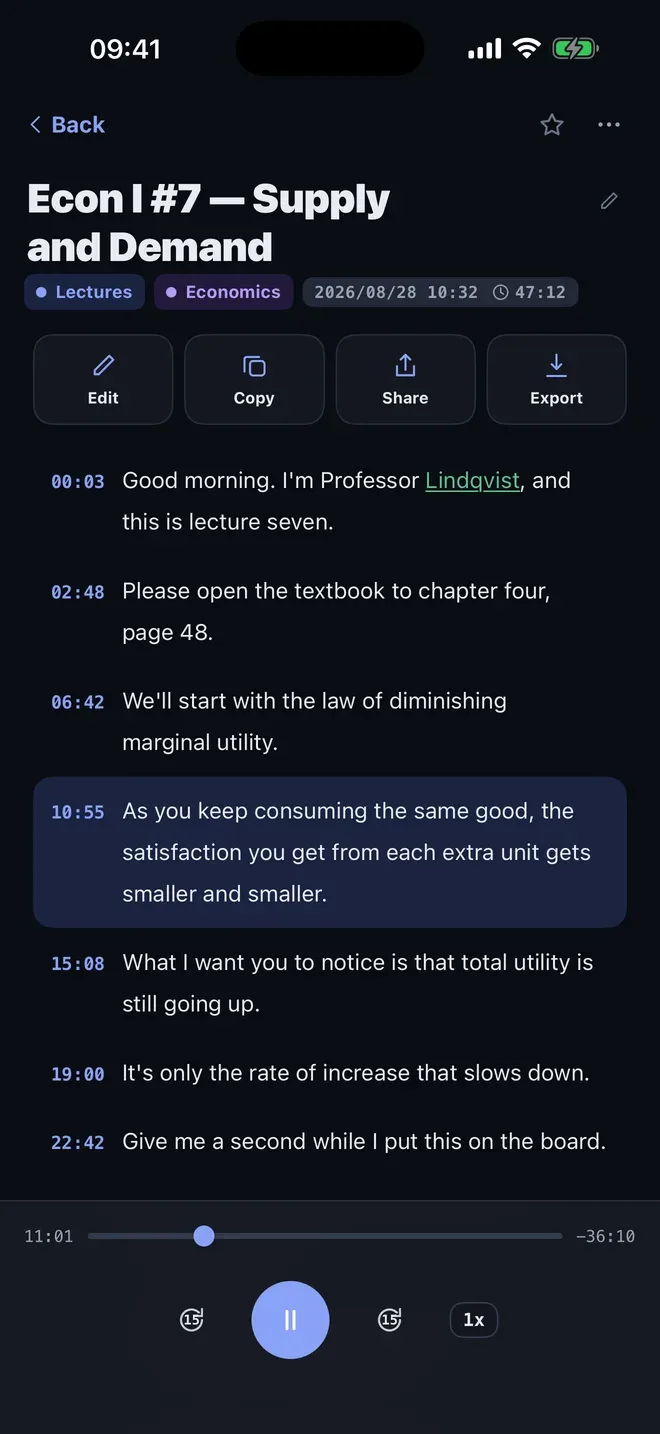
Read it, listen to it, copy it. The finished note shows the transcript with a time on every line. Tap a line to play the audio from there. Tap Copy to paste the text into Notes, Mail or a document, or Export for a file.
If the words come out wrong
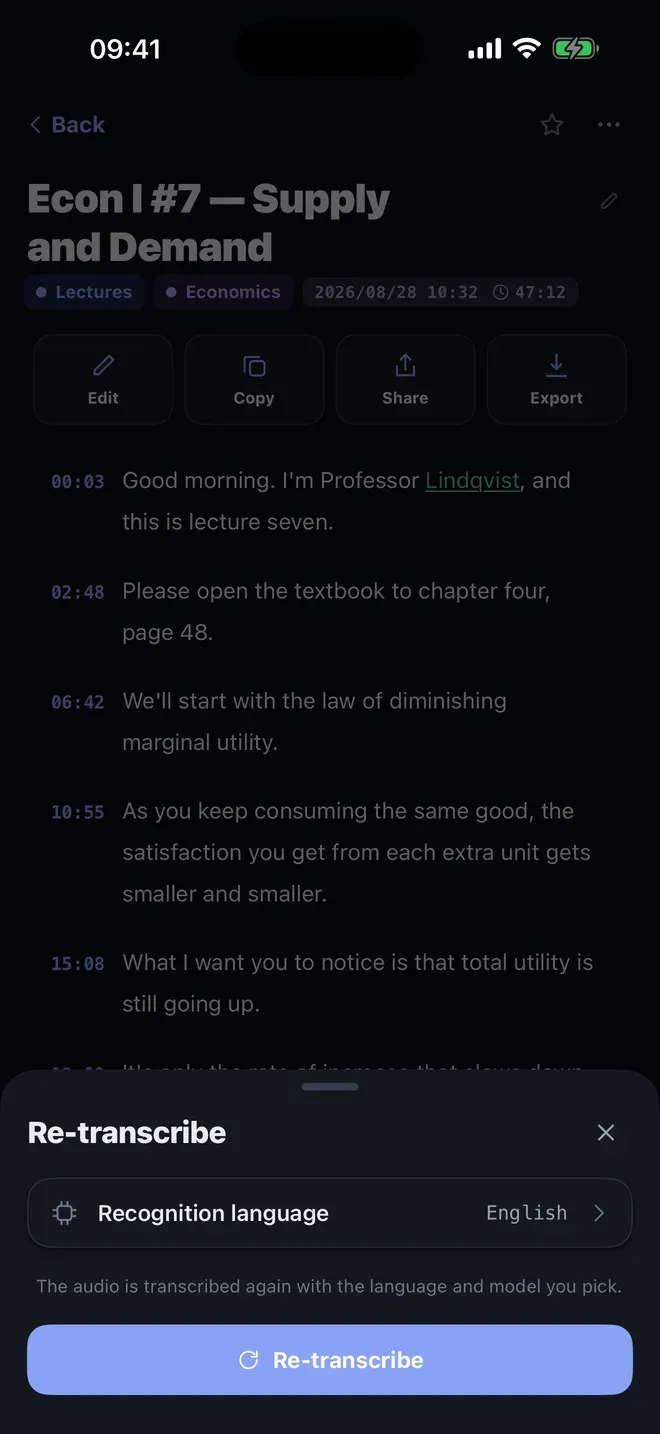
- Wrong language: open the note’s menu, tap Re-transcribe, pick the right Recognition language and transcribe again.
- Names and terms: teach Koedori the right spelling once in the Dictionary, as in this guide.
Other ways to do it
- Apple’s built-in options depend on your iPhone’s software, and they work on recordings made in their own app. Koedori also takes recordings from Files, Photos and other apps.
- Online transcription sites give you text, but your recording is uploaded first.
Questions people ask
Can Koedori transcribe several voice memos at once?
Yes. Share or pick as many recordings as you like, and Koedori lists them in one Transcribe sheet with their lengths and sizes. One tap on the button starts them all, each becoming its own note.
Does the voice memo get uploaded or changed?
No. Koedori reads the recording on your iPhone and writes the transcript beside it. The audio is not sent anywhere, and the original in Voice Memos stays where it was.
What if the words come out in the wrong language?
Open the note’s menu and choose Re-transcribe, then pick the correct recognition language and transcribe again. You can redo a note as often as you like.

Get Koedori
Record lectures, transcribe them offline

On the App Store as “Lecture Recorder: Transcribe”.