 Noise Meter
Before you start
- Pick the spot. Use the room where you hear the noise most, and the same spot every night. Put your iPhone on a table or shelf with the microphone on its bottom edge uncovered, not under a pillow or in a pocket.
- Keep it powered. Leave your iPhone on its charger for the night.
- Keep the screen on. In Noise Meter’s Settings, turn on Keep Screen On While Measuring, and leave Noise Meter open while it records.
Step by step
-
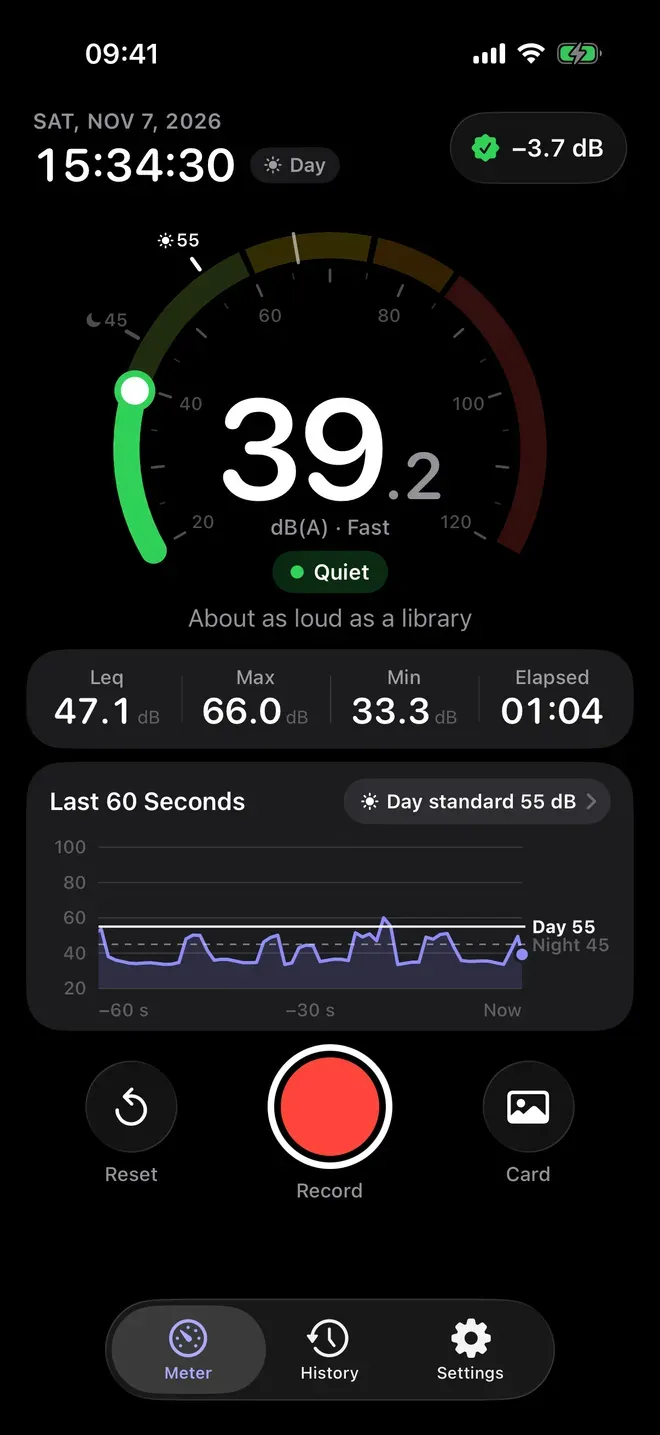
Open the Meter and tap Record. The Meter shows the live level in dB(A), what it is about as loud as, and the last 60 seconds against Japan’s day (55 dB) and night (45 dB) lines. Tap Record.
-
Leave it running. Every second is kept with its date and time. A phone call pauses the recording; tap Resume when it is over. Pause and Resume work the same way if you need a break.
-
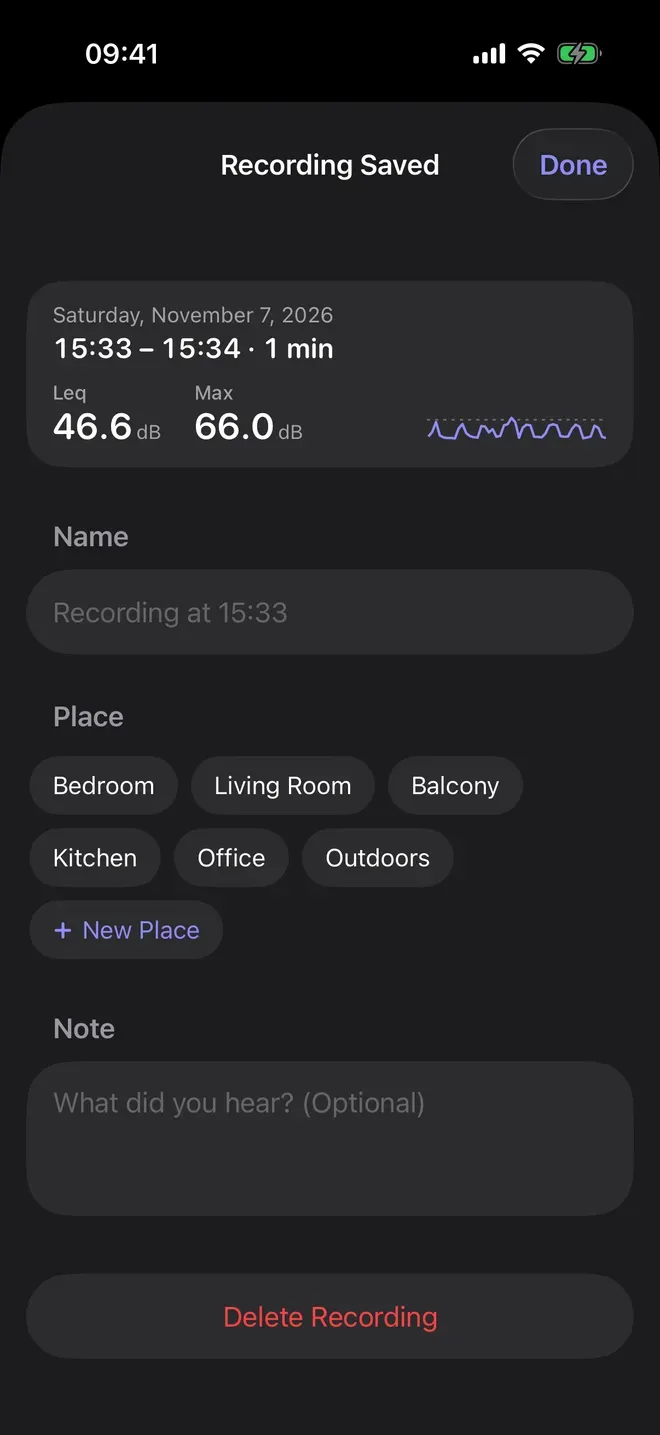
Stop and save it. Tap Stop. On Recording Saved, give it a Name, pick a Place such as Bedroom, and add a Note about what you heard.
-
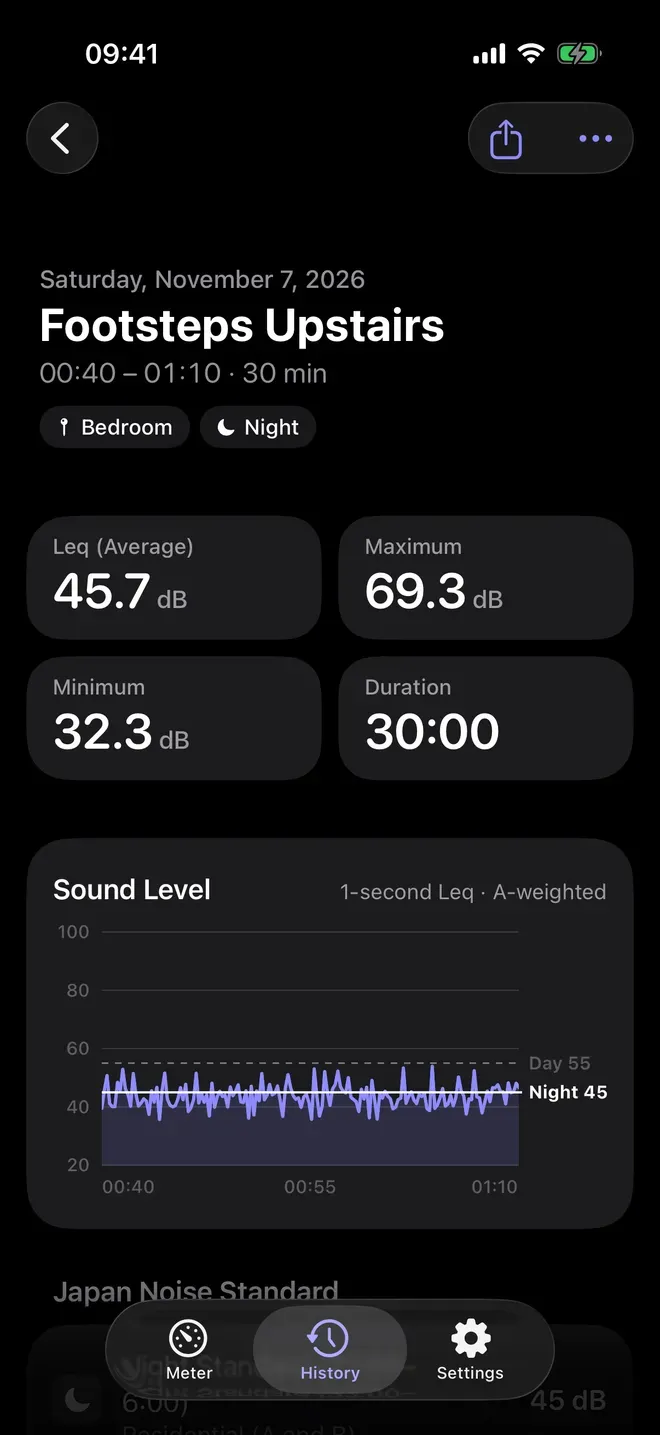
See when it was loud. Open the recording in History: its Leq (average), maximum, minimum and duration, and a chart of every second with the day and night standard lines.
-
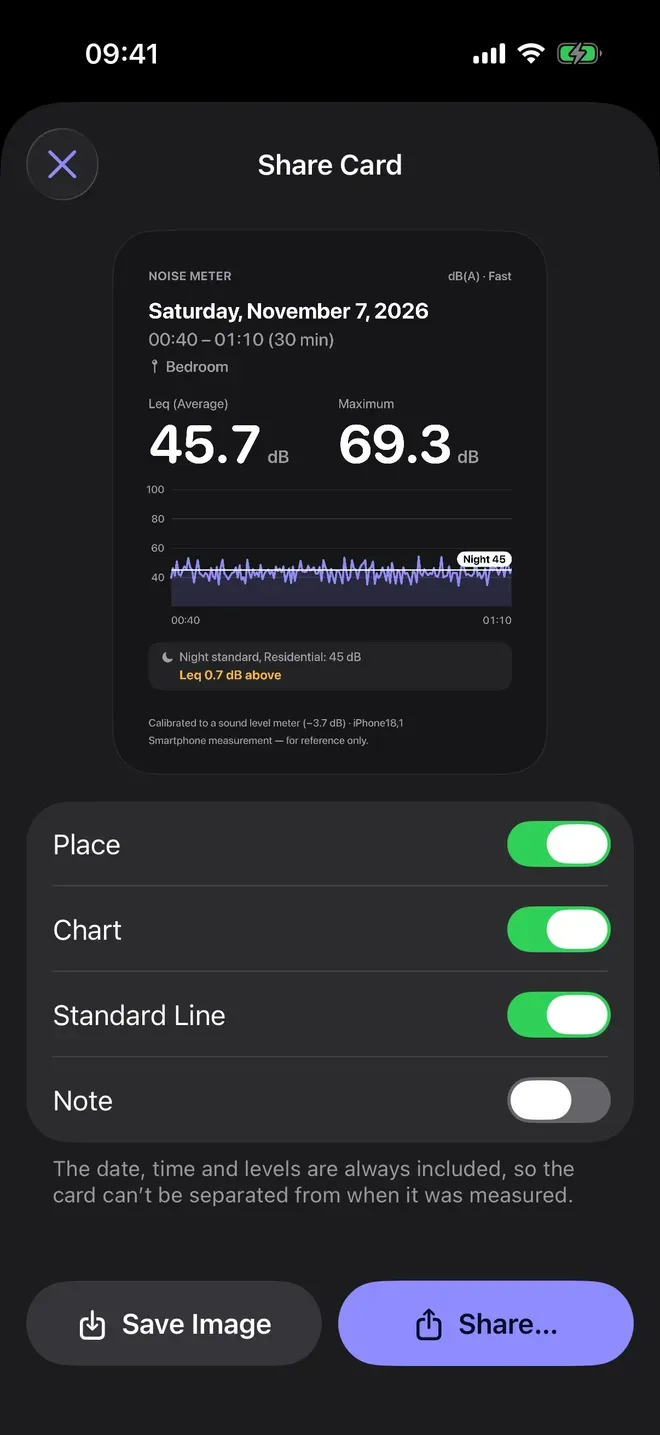
Share a card. Tap the share button for its Share Card: the date, time, place, Leq and maximum, the chart, and how the Leq compares with Japan’s standard. Tap Save Image or Share… to send it to your landlord or building manager.
For footsteps from upstairs
- Look at the maximum, not only the average. Footsteps are short thumps: the Leq of a long recording can stay low while the maximum shows how loud the loudest one was.
- Try C or Z weighting. In Settings, Weighting set to C or Z shows more low-frequency sound, like footsteps and bass. Japan’s standard uses A, the default. A recording is measured one way from start to end, so choose before you tap Record.
- Write what you heard. A note such as “footsteps, 1:10” makes the chart easy to read later.
Read the numbers fairly
- An estimate, not a certified measurement. An iPhone’s microphone is built for voices, so its readings can’t replace a verified sound level meter for official or legal use. If you have a sound level meter, calibrate Noise Meter against it.
- A reference, not a verdict. Japan’s standards are assessed outdoors over a whole day or night. A recording made indoors and compared with them shows how the noise stands, not whether a rule was broken.
- More nights, a clearer pattern. Record on several nights at the same spot to show when the noise happens and how often.
Other ways to do it
- Voice Memos, built into iPhone, records the sound itself, voices included, but shows no decibel level.
- A verified sound level meter gives a certified measurement, which official or legal use needs.
- Apps that save audio clips when it gets loud let you play the noise back. Noise Meter keeps only the levels, so no one’s words are stored.
Questions people ask
Does a phone call stop the recording?
A call pauses it, and Noise Meter shows that it is paused. Tap Resume when the call is over: the recording carries on, and every later second keeps its true time.
Can I record in more than one room?
Yes. Each recording keeps the place you pick, such as Bedroom or Living Room, or one you add, and History lists every recording with its date.
Will my neighbors’ voices be recorded?
No. Noise Meter uses the microphone only to calculate how loud it is and saves only the numbers, so there is nothing anyone said to play back.

Get Noise Meter
Decibel meter with date and time

On the App Store as “Noise Meter - Decibel Level”.